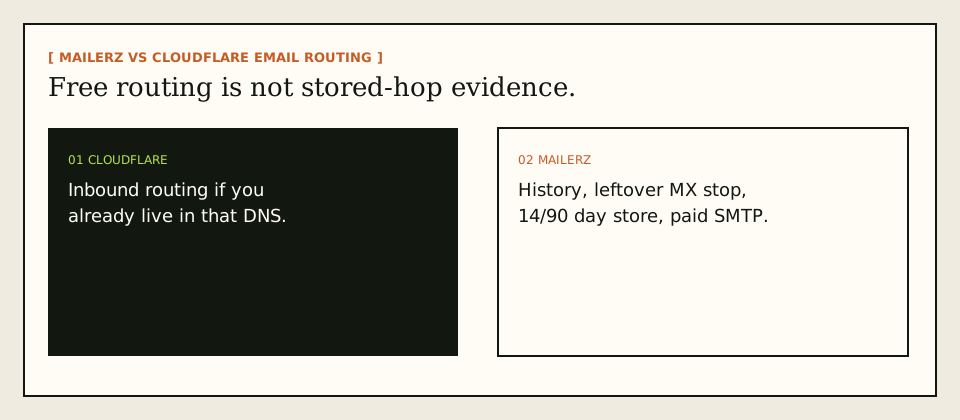
MailerZ vs Cloudflare Email Routing is a visibility decision, not a piety contest about free. Cloudflare can route inbound mail if you already live in their DNS. MailerZ is a forwarding plus SMTP layer with leftover-MX treated as a hard stop, stored failed hops, and paid send-as. Keep Gmail. Publish one MX set. Do not run both answers and call it redundancy.
Quick answer for MailerZ vs Cloudflare Email Routing
Stay on Cloudflare Email Routing when inbound routing inside that DNS is the whole job and you do not need MailerZ leftover-MX handling, a 14- or 90-day recovery store, or authenticated send-as on the same vendor. Read their docs for current behavior: Cloudflare — Email Routing documentation. This page does not copy their price list or invent features they do not document.
Move to MailerZ when the missing artifact is a hop transcript, a retry window, or SMTP from the same layer that receives. MailerZ preserves Header From, may rewrite only envelope MAIL FROM with SRS, records destination responses, and is not an open relay. It is not Workspace. It is not IMAP. Product pages: compare Cloudflare Email Routing and migrate from Cloudflare Email Routing.
MailerZ Free is one domain, ten aliases, one seat, a 14-day store, send-as disabled, SMTP and API disabled. Paid plans add a 90-day store and send-as. Solo is $40 per year. Starter is $8 or $80. Business is $19 or $190. Agency is $39 or $390. Confirm on MailerZ pricing and features.
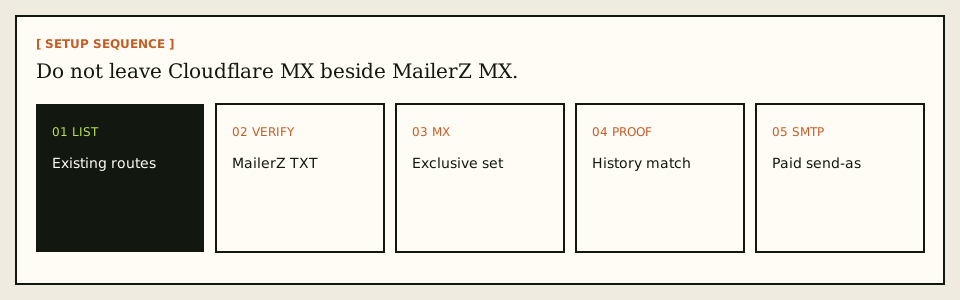
The safest MailerZ vs Cloudflare Email Routing cutover is exclusive MX. Recreate routes first. Verify TXT. Publish MailerZ MX. Delete Cloudflare MX. Probe from another mailbox. Match history to Gmail. Dual MX is leftover MX with extra steps.
The user problem and the decision criteria
People compare these products after a customer dispute or after they want send-as without leaving Gmail. Cloudflare already holds DNS, so routing feels free and nearby. Then a message vanishes and there is no stored hop with a remote code they can show a founder. Or replies still leave as @gmail.com because routing was inbound only.
ImprovMX pricing is a competitor research link in the workbook, not proof of Cloudflare or MailerZ: ImprovMX — product documentation. Use it as a third class, not as a score.
| Question | If yes | If no |
|---|---|---|
| Do you already operate this zone in Cloudflare DNS? | Their routing has less moving parts for inbound-only. | You are not required to pick them for email. |
| Do you need stored failed hops and a retry window? | MailerZ 14-day Free / 90-day paid store. | A pipe without a store may be enough. |
| Do you need leftover MX called a hard stop? | Use a stack that treats mixed MX as an incident. | You will debug random missing mail. |
| Must replies show the domain? | Paid MailerZ SMTP. Free cannot finish this. | Inbound routing may be the whole job. |
| Is Gmail already the archive? | Keep it. Neither product should become IMAP. | You are shopping for hosting. |
| Is sending operational, not bulk? | MailerZ SMTP is in scope on a paid plan. | Use a campaign platform. |
Teams also confuse Cloudflare’s brand gravity with email completeness. You already use their CDN, their certificates, their tunnel. Email routing feels like the next checkbox. That is a reasonable inbound start. It is not a reason to skip leftover-MX cleanup when you later add MailerZ, and it is not a reason to expect stored hops that the routing product was never sold as. Write the job: “inbound only in this DNS” versus “I need a transcript and SMTP.” Those jobs pick different products. A checkbox picks neither well.
Support quality is part of visibility. A hop transcript you cannot find in the UI is not visibility. Before you cut over, open MailerZ on a throwaway domain and generate one failed destination on purpose—wrong destination, then a real one. Confirm you can see the remote response. If you cannot operate that UI on a calm afternoon, you will not operate it during a customer incident. Stay on Cloudflare routing until you can.
Legal and security reviewers will ask whether MailerZ is SOC 2. It is not. Neither is “Cloudflare therefore email is certified” a valid leap for this comparison. Controls and questionnaire wording live on the Security and Trust Center. Do not invent ISO or HIPAA to win a routing argument. If the reviewer needs a hosted tenant archive, neither router is the product. Buy the suite.
Technical mail flow
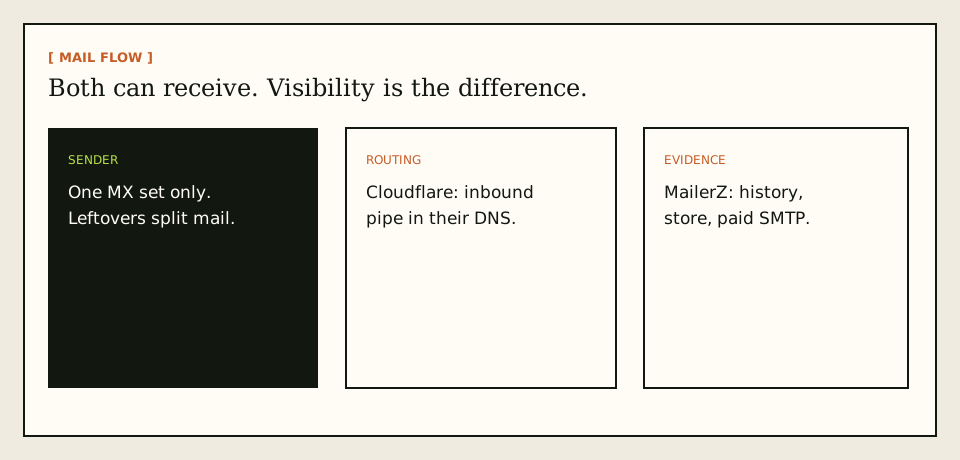
Both products sit on MX. IETF RFC 5321 — Simple Mail Transfer Protocol still governs the first hop. MailerZ vs Cloudflare Email Routing changes what you can see after 250 and whether the same vendor can send.
Cloudflare routing
MX points at Cloudflare. They route to a destination you configured. That can be enough when DNS and email live in one console and you never need a recovery body. It does not become MailerZ leftover-MX diagnostics, a 90-day store, or paid send-as because this article named them. Read their documentation for current limits.
MailerZ forwarding
MX points at MailerZ. The edge checks verification and alias policy, stores required content, returns 250, and forwards. Header From stays the original sender. Envelope SRS may rewrite the return path. Delivery history records the destination SMTP response. Unknown recipients on Free are held. Recovery is 14 or 90 days. Paid SMTP is a second product on the same account.
SPF, DKIM, and DMARC authorize outbound MailerZ send-as. IETF RFC 7208 — Sender Policy Framework (SPF), IETF RFC 6376 — DomainKeys Identified Mail (DKIM), and IETF RFC 7489 — Domain-based Message Authentication, Reporting, and Conformance (DMARC) are the texts. They do not make Cloudflare routing into SMTP. Publish one signer for one From domain.
Dual MX—Cloudflare plus MailerZ “as backup”—is leftover MX. Senders split. History looks random. Treat it as a hard stop, not a high-availability pattern. Priority is failover order for the same administrative set, not a load balancer for two vendors.
Workers, API routing, and other Cloudflare products next to Email Routing do not change this article’s boundary. MailerZ does not become a Workers platform because you already pay for a zone. If a custom Worker is how you inspect mail today, that is your evidence model, not MailerZ’s store. Do not assume a Worker transcript equals a 90-day recovery body you can retry into Gmail. Those are different objects.
Destination filters still sit on the far side of both products. Cloudflare can hand a message to Gmail. MailerZ can record that Gmail said 250. Gmail can still file the copy in spam. Visibility is the hop, not the tab. Teach support that sentence before the first customer dispute or you will refund a filter.
Catch-all on Cloudflare is not catch-all on MailerZ Free. Free holds unknown recipients. A team that used Cloudflare to accept every typo will see held mail after cutover and call it data loss. It is policy. Name the aliases you print, or enable paid catch-all forward when you mean to accept leftovers. Do the count before MX day.
Step-by-step setup and decision path
This is the MailerZ vs Cloudflare Email Routing setup path when you choose visibility. Recreate first. Cut MX second.
Inventory Cloudflare routes and destinations
List every local-part that still receives. Note catch-all. MailerZ Free holds unknown recipients and allows ten aliases. Count before you assume a one-click import exists. It does not.
Add the domain on MailerZ and verify TXT
Use the root domain. Publish the unique verification TXT while Cloudflare MX is still live so you are not racing DNS.
Recreate aliases and verify destinations
Map to the same Gmail or Outlook inboxes. Complete destination verification. Do not create loops.
Publish MailerZ MX and delete Cloudflare MX
Copy exact hosts. Query two resolvers. Use the migration planner and leftover MX checker. Mixed sets lose mail.
Prove inbound and match history
Unique subject from another mailbox. Confirm Header From. Open the MailerZ event. Self-send lies.
Add paid send-as only if the From must travel
Free has no send-as. Solo and above add SMTP. Test to a second external inbox. Limits: 5/100, 10/200, 15/400, 25/800 by plan.
Failure modes and proof
| What you see | Likely cause | Proof to collect |
|---|---|---|
| Some senders still hit Cloudflare | Leftover MX or cache. | Public MX from two resolvers. |
| No MailerZ history row | Mail never arrived. Alias missing or MX wrong. | Envelope recipient versus alias list. |
| History 250, Gmail quiet | Destination filtered. | Spam and filters. Not a Cloudflare leftover if MX is exclusive. |
| Replies leave as @gmail.com | No paid SMTP, or default identity. | Plan send-as. From selector. |
| Self-send empty | Gmail short-circuit. | Different provider. |
| SMTP 550 | Unauthorized From or open-relay refusal. | Exact SMTP response. |
Proof is a sanitized header block plus the MailerZ event. DNS tools: troubleshooting. Failed hops: delivery recovery.
A “via” label after cutover usually means Gmail did not use MailerZ SMTP, or you are looking at an inbound rewrite from a leftover tool. Open outbound history before you roll MX back. Rolling back because of a From selector mistake puts Cloudflare MX beside a half-migrated alias list and you lose the weekend twice.
SPF include chains that still name Cloudflare senders after you moved outbound to MailerZ will confuse DMARC reports. Inventory who actually sends as the domain: MailerZ, a campaign platform, a ticket system. One SPF policy per hostname. Remove includes you no longer use. Do not stack every vendor you ever evaluated.
MailerZ workflow and product boundary
MailerZ is a custom-domain email delivery layer operated by Secuno LLC. Site: mailerz.net. App: mail.mailerz.net. Positioning: a focused forwarding plus SMTP layer around the inbox you already use, with hop evidence Cloudflare routing does not become by adjacency.
What MailerZ does
- Accept inbound mail for verified domains and configured recipients.
- Preserve Header From. Envelope SRS only.
- Hold or forward unknown recipients by plan.
- Store 14 days Free or 90 days paid.
- Record inbound and outbound history.
- Paid authenticated SMTP. Leftover MX as a hard stop.
What MailerZ does not do
- Import Cloudflare routes automatically.
- Replace Gmail with IMAP or webmail.
- Rewrite header From, Subject, Date, Message-ID, body, or MIME.
- Offer send-as on Free.
- Promise inbox placement, SLAs, or review counts.
- Claim SOC 2, ISO 27001, or HIPAA. Controls: Security.
- Act as an open relay or campaign sender.
Cost, alternatives, and trade-offs
Cloudflare routing can be the cheaper inbound path if you already pay for that DNS and you do not need the MailerZ store. MailerZ Free is the cheaper evidence path for one domain and ten aliases. Paid MailerZ is what you buy when send-as or 90-day recovery is the acceptance test. Do not convert “free routing” into “free send-as.”
| Approach | You get | You give up |
|---|---|---|
| Cloudflare Email Routing | Inbound routing in a DNS you already run. | MailerZ stored hops, leftover-MX product stop, paid SMTP on this layer. |
| MailerZ | History, 14/90 day store, paid SMTP, Header From preserved. | You recreate routes. Free has no send-as. |
| Both MX sets | Confusion. | A single receiving answer. |
| Workspace | Hosted mailboxes and a suite. Google Workspace — product overview | Per-user cost you may not need. |
Annual Starter, Business, and Agency include two months free versus monthly. Solo has no monthly option. Alias ceilings 3 / 15 / 50 / 200 / 500. Domains 1 / 1 / 5 / 25 / 100.
Agencies often want Cloudflare for DNS and MailerZ for mail. That is a valid split if MX is exclusive to MailerZ and the zone stays at Cloudflare. It is an invalid split if both products publish MX. Nameservers and mail exchangers are different records. You can keep Cloudflare DNS and still point MX at MailerZ. You cannot keep both MX sets and claim high availability.
Send-as is the other invoice. Teams leave Cloudflare routing because replies still show gmail.com, then they bolt a random SMTP vendor on the side. Two vendors mean two logs. MailerZ paid SMTP exists so inbound history and outbound refusals live in one account. If you stay on Cloudflare for inbound and add a third SMTP, you have rebuilt the patchwork this site keeps warning about.
Workspace remains the suite alternative, not a routing alternative. If every person needs a hosted mailbox, buy Workspace and stop comparing free routers. If two people already live in Gmail and you needed visibility, you are in this article. Price Workspace from Google’s page. Price MailerZ from /pricing. Do not mix units.
A quiet week after cutover is cheaper than an immediate Cloudflare disable. Cached MX and a forgotten alias are easier to fix if you can still republish the old hosts. Write them down. Query two resolvers daily until the public set is boring. Then cancel or disable routing. Not the hour the first probe lands.
Visibility is hop history, leftover MX, and send-as — not a moral score
Cloudflare Email Routing is free inbound routing. MailerZ adds leftover-MX as a hard stop in the operator story, stored failed hops with SMTP reasons, HOLD on Free unknowns, and paid authenticated send-as. If you only need cheap inbound to Gmail and you will never read a hop, Routing may be enough. If you need to classify empty versus HOLD versus destination 5xx, you want history. Quote Cloudflare live, nofollow. Do not invent their logging. Do not invent MailerZ SOC 2 or an inbox SLA.
Leftover MX is the usual miss on both tools. Routing plus aspmx is still split. MailerZ plus aspmx is still split. The comparison is not “Cloudflare is leaky.” The comparison is whether your runbook treats a second hostname family as a fail. MailerZ writing does. Your zone must too.
Send-as is the class break. Routing does not become MailerZ paid SMTP because you wish it. Free MailerZ cannot send either. If the purchase is Gmail send-as without Workspace, you need paid MailerZ SMTP and exclusive inbound first. If the purchase is inbound only, compare caps and HOLD versus their catch-all rules on the day you buy. /pricing and /compare/cloudflare-email-routing.
Header From stays intact on MailerZ inbound. Envelope SRS only. A hop that rewrites Header From is a different class. Self-send is invalid proof on both vendors. Stranger probe. Two public resolvers. Exclusive MX.
When to stay, when to cut, when to run two domains
Stay on Routing if inbound is boring, you have no send-as need, and you accept their visibility model. Cut to MailerZ if you want HOLD teaching, hop store, and paid send-as on the same brand. Run two domains if one is a playground already in Cloudflare and one is invoices. Do not dual-MX one domain to “compare live.” That experiment is leftover MX.
Start free on MailerZ, create three names, then exclusive MX. Sign in if the hop already exists. Keep Cloudflare login a week after cut for their logs. Rollback is exclusive old MX, not both.
A buyer sentence that survives a Slack thread
Pick Routing for free inbound with Cloudflare already on NS. Pick MailerZ when you need stored hops, HOLD, leftover-MX discipline, and a path to paid send-as. If someone says use both MX, they are selling random delivery. Secuno LLC. Not IMAP. Not an open relay. Not SOC 2.
What “visibility” means in a ticket, not a brochure
Visibility is answering empty, HOLD, and destination 5xx as three different restores. Empty plus two resolvers showing Cloudflare and MailerZ is leftover MX. HOLD is a missing name on Free. 5xx is Gmail. If your current Routing setup cannot show you the SMTP line, you will guess. Guessing republishes aspmx. That is the operational reason to want stored hops, not a feature war.
Visibility is also knowing Header From was not rewritten. If a forwarder becomes the visible From, DMARC stories get louder and humans distrust the sender. MailerZ does envelope SRS only. Read headers on a stranger probe. If you cannot paste Header From and Return-Path, you do not have visibility yet, even if the message landed.
Cost compare without inventing list prices for Cloudflare. Their Routing can be free inbound. MailerZ Free is one domain, ten aliases, HOLD, fourteen-day store, no send-as. Paid MailerZ adds store length, FORWARD option, and send-as when enabled. Cards on /pricing. A cheaper inbound path that costs you a leftover-MX Friday is not cheaper. Price the incident.
Migration leftover is Cloudflare MX left beside MailerZ. Morning paste. Delete. Probe. Keep their login a week. Cancel the idea of backup MX. Compare page: /compare/cloudflare-email-routing. External Cloudflare docs nofollow on the day you read them. No SOC 2 claimed here. No inbox SLA. Secuno LLC. Not IMAP.
Buyer close: if you need send-as and hop store, start free, map three names, exclusive MX, then pay to send. If you need only inbound and you already live in Cloudflare DNS, Routing may be enough until the first unclassifiable miss. Dual MX is never the comparison method. It is the bug both products will punish.
One more check before you dual-stack MX
If the comparison plan is “leave Cloudflare MX at 20 while we try MailerZ,” that is leftover MX, not a trial. Trial is a spare domain, or a scheduled exclusive window with a screenshot rollback. Priority 20 is not a sandbox. It is random delivery with a story. Delete the story. Keep one owner.
FAQ
What is the safest way to handle MailerZ vs Cloudflare Email Routing?
Name the artifact you need. If you only need inbound routing inside Cloudflare DNS, their product can be enough. If you need leftover-MX treated as a hard stop, stored failed hops with SMTP reasons, and authenticated send-as on the same layer, cut over to MailerZ with one MX set and an external probe. Do not publish both MX sets.
Does this require a new mailbox?
No. Neither product is IMAP webmail in the MailerZ sense. Gmail or Outlook stays the store. MailerZ is not a mailbox host. Cloudflare Email Routing is inbound routing, not a suite.
Will it work with Gmail or Outlook?
Yes for inbound forwarding to a verified destination on either path if MX is exclusive. Paid MailerZ send-as uses Gmail Send mail as or a manual Outlook SMTP identity. Free has no send-as. Cloudflare routing does not become MailerZ SMTP because a comparison page mentioned both.
What DNS records are involved?
MailerZ needs a verification TXT, one MailerZ MX set, leftover Cloudflare or Google MX removed, and SPF, DKIM, and DMARC if you send as the domain. Cloudflare routing uses their MX while you stay in that DNS. One receiving answer only.
What should I test before production?
Recreate aliases, publish exclusive MX, send a uniquely titled message from an unrelated provider, match MailerZ history to the destination inbox, then add paid send-as if the From must travel. Self-send from Gmail to the same Gmail account can hide the hop.
Key takeaways
- MailerZ vs Cloudflare Email Routing is visibility and send-as, not a moral argument about free.
- Cloudflare routing can be enough for inbound-only inside their DNS.
- MailerZ adds history, a recovery window, leftover-MX as a hard stop, and paid SMTP.
- Header From stays the original sender. Envelope SRS is the allowed rewrite.
- Never publish both MX sets.
- Test inbound from a different mailbox. Self-send lies.
- Free has no send-as and a 14-day store.
- Read Cloudflare’s current docs. Do not invent their features.
- MailerZ is not SOC 2, not IMAP, and not a bulk sender.
Conclusion and next action
Keep Gmail. If inbound routing in Cloudflare DNS is the whole job, stay. If you need a hop transcript, a retry window, or SMTP on the same layer, cut over with exclusive MX and an external probe. Dual MX is not a compromise. It is lost mail.
Next action: inventory routes, add one domain on MailerZ, recreate one alias, publish exclusive MX, and match a uniquely titled probe to history.
Ready to test visibility
Start free with one domain and prove the path.
Inbound on Free. Paid send-as when the From identity has to travel.
Review quarterly, or sooner if Cloudflare routing, MailerZ limits, or DNS guidance changes. Author: MailerZ editorial, Secuno LLC.