A WordPress SMTP authentication error means the plugin opened a session and the hop refused the credentials or the identity, or the session never authenticated. Could not authenticate is not leftover MX, not a spam-folder mystery, and not a reason to invent port 587. Copy MailerZ dashboard values. Confirm you are not on Free. Read the SMTP line. 535 is bad secret or TLS mode. 550 5.7.1 is unauthorized or unhosted. Timeout is path. Fail closed. Do not enable php mail fallback to 'fix' it.
Quick answer for WordPress SMTP authentication error
Open the plugin log or the host log and copy the SMTP reply. Diagnose from that string, not from the WordPress toast.
If you are on MailerZ Free, stop. Send-as is unavailable. Upgrade or stop sending.
If values do not match the dashboard, paste again. If TLS mode disagrees, match the dashboard, not a blog from 2019.
SMTP replies live in IETF RFC 5321 — Simple Mail Transfer Protocol. Paths: send and reply, troubleshooting, MailerZ documentation. Confirm paid SMTP is On on MailerZ pricing (Free keeps SMTP Off; Solo is $40 per year). Outbound attempts and failures show in Mail Box.
User problem and decision criteria
The toast says could not authenticate. The junior changes MX. The donor mail splits. You now have two incidents. Authentication is outbound. MX is inbound. Keep them in different tickets.
Decision criteria: do we have the reply line, do we have a paid plan, do the five dashboard fields match, is fallback off, can we reach the host from the origin.
If you cannot see a reply line, turn on the plugin's debug or log SMTP at the host. Guessing is how ports get invented.
If three people can edit wp-config, assume the secret rotated and WordPress did not.
If the site is a copy of production, it may still hold production secrets or staging secrets. Know which.
If you needed Google OAuth, you left this product class. Do not mix.
What authentication actually is
The client connects, negotiates TLS as instructed, sends AUTH, and either receives success or a 5xx. Could not authenticate means that exchange failed or never happened.
MailerZ is not an open relay. Success requires a hosted identity and a paid send-as plan. Free fails here on purpose.
A timeout before AUTH is not authentication. It is path, firewall, or a wrong host. Do not treat it as a bad password.
A 250 after MAIL FROM without AUTH is a relay you should not be using. MailerZ should not do that for strangers.
Header From is not the password. Changing From to 'match SPF' will not fix 535.
Step-by-step diagnosis
- Copy the exact SMTP reply and the plugin name into the ticket.
- Confirm MailerZ plan. If Free, upgrade or stop.
- Open the dashboard. Compare host, port, TLS mode, username, password to WordPress. Paste, do not retype.
- Rotate the password in the dashboard and in WordPress the same hour if it may have leaked.
- From the origin, confirm the host resolves and the printed port accepts TLS as printed.
- Send with a wrong password on purpose. You should see 5xx. If you still 'succeed,' fallback is on.
- Send with the right password to a third mailbox. Save the subject.
- Search the codebase for php mail, wp_mail filters, and page-builder SMTP.
- Only then look at inbound MX if customers must reply. Not before.
- Write the cause. 'DNS' is not a cause for 535.
Failure modes and proof
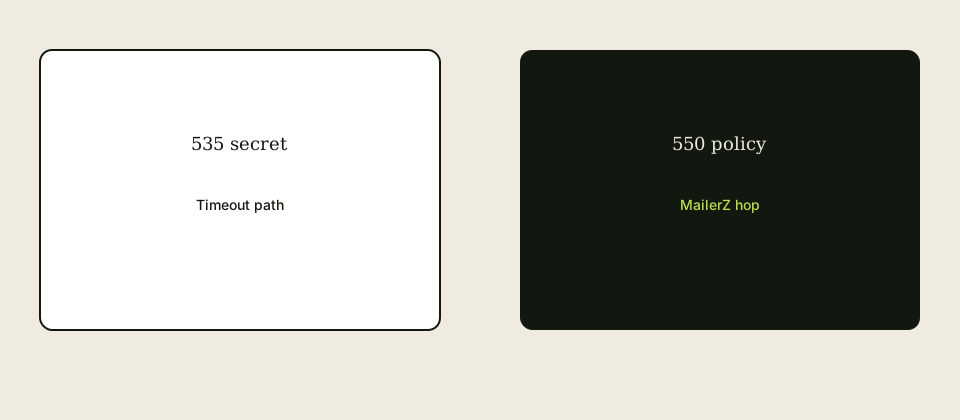
535 after a weekend: someone rotated the dashboard secret. Proof: timestamps.
550 5.7.1 on Free: plan. Proof: pricing page the same day.
550 5.7.1 on paid with a From you never hosted: identity. Create the alias or change From.
Timeout: security plugin, host firewall, or wrong host. Proof: a connection test from that origin, not from your laptop.
Green test, host-From mail: fallback. Proof: raw From header.
Proof package: reply line, dashboard match, plan, fallback off, unique test.
MailerZ workflow and product boundary
Low-volume authenticated SMTP. Caps apply. Not a blast API. Not IMAP. Not SOC 2.
Support wants the SMTP line. Support will not accept 'it just says could not authenticate.'
Inbound leftover MX is documented elsewhere. Do not mix it into this ticket unless replies are the bug.
Envelope SRS is inbound. It will not repair AUTH.
Confirm /pricing when the junior says 'SMTP is included on Free.' It is not.
If you outgrow caps, a transactional vendor is the overflow, not dual SMTP with leftover secrets.
Cost and alternatives
Time spent inventing ports is more expensive than Solo. Pay or stop sending.
Google Workspace SMTP has its own auth errors. Different runbook.
Host mail 'fixes' the toast and burns the domain reputation.
A second plugin that claims one-click deliverability often rewrites From. Worse.
Agency shared secrets are cheap until offboard. Then they are an incident.
Paying for WP Mail SMTP UI does not pay for MailerZ send-as. Two bills, two jobs.
Worked scenarios
Staging copied production wp-config, production rotated, staging threw could not authenticate. Fix: staging secret or disable staging send.
A security plugin blocked outbound SMTP. The toast said authenticate. The line was a timeout. Fix: allow the printed host and port.
WooCommerce used a second mailer library. The plugin test passed. Orders failed. Fix: one path.
An agency pasted 587 from memory. MailerZ dashboard disagreed. Fix: paste.
A founder on Free thought verify TXT was SMTP. It is ownership, not AUTH. Fix: plan.
Practice and anti-patterns
Practice: copy the line. Anti-pattern: change MX.
Practice: match five dashboard fields. Anti-pattern: change one and hope.
Practice: wrong-password test. Anti-pattern: trust a green toast.
Practice: fail closed. Anti-pattern: php mail fallback.
Practice: rotate on suspicion. Anti-pattern: a contractor still sending.
Practice: third mailbox after auth. Anti-pattern: only admin@same-site.
WordPress SMTP authentication error work is boring when the line is in the ticket.
Operator closeout
Cause named: plan, secret, TLS, identity, path, or fallback. Not 'DNS' unless the host name did not resolve.
Settings match dashboard. Fallback off. Unique test saved. Deputy can rotate.
If inbound was also broken, that ticket has resolver listings. This ticket does not steal them.
Review date before the next deploy that might copy wp-config.
Edge cases
Object cache serving old SMTP constants. Flush.
Must-use plugin that overrides phpmailer_init after your plugin. Search mu-plugins.
IPv6 origin, IPv4-only SMTP. Path, not AUTH, even if the toast lies.
Password with characters the plugin form strips. Use wp-config constants.
Two sites, one secret, one rotated. The other site is now this article.
Local Valet or Docker cannot reach the host. Test from production-like network.
Field notes
Ask for the line before you join the call. No line, no theory.
Ask the plan second. Free is the usual root cause.
Ask whether fallback is on third. Green plus host-From is the usual lie.
Laptop tests do not prove origin path.
Do not paste passwords into Slack. Rotate if you did.
A blog that says 'always 587' is not a source. The dashboard is.
After it works, write the cause. Next month's junior needs the cause, not your heroics.
Handoff memo
Where logs live, where the dashboard lives, the five fields, the plan, fallback off, last 5xx test, last success subject, who can rotate.
The three codes you will not confuse: 535, 550 5.7.1, timeout.
The forbidden fixes: leftover MX, invented ports, php mail, a second From rewriter.
The lab loop: break auth on purpose, then fix it.
Acceptance criteria
A named cause. Matching dashboard. Paid plan if sending. Fallback off. 5xx on bad secret. Unique third-mailbox success.
No leftover MX added during the ticket.
Deputy can repeat the diagnosis from this page without a call.
Operations review after an auth incident
Keep the SMTP line in the ticket forever. WordPress SMTP authentication error work without a line will be re-litigated as DNS next month.
After a fix, schedule a deploy watch. Copies of wp-config recreate 535.
Confirm staging cannot send as production. Staging secrets or disabled send prevent surprise 550s and surprise leaks.
Confirm security plugins still allow the printed host and port. A hardening pass will break AUTH and lie in the toast.
Confirm fallback stayed off. Green toasts with host-From are the usual regression.
If three people edit constants, rotate on a calendar, not on suspicion only.
If WooCommerce has a second mailer, test an order, not only the plugin button.
If you added leftover MX during the panic, delete it in this review. That was a second incident.
Laptop path is not origin path. Re-test from the site network if the host changed.
Ask the plan first on every new toast. Free is still the usual root cause.
Quarterly review
Reproduce a wrong-password 5xx and a right-password unique send. File both.
Diff dashboard and WordPress. Diff mu-plugins for phpmailer_init.
Re-read the named cause from the last incident. If it said DNS and the line was 535, rewrite the postmortem.
Deputy runs the ten diagnostic steps without a call.
Caps and pricing confirmed if volume grew.
No passwords in Slack. Rotate if history says otherwise.
Inbound leftovers confirmed absent only if replies matter. Do not mix tickets without listings.
Closing notes
Could not authenticate is a line, a plan, and five dashboard fields. It is not leftover MX and not a folklore port.
535 secret or TLS. 550 5.7.1 policy or Free. Timeout path. Php mail fallback is a lie.
Start free for inbound. Pay for send-as. Paste once. Fail closed. File the line.
Field depth on the toast
The WordPress toast collapses timeout, 535, and 550 into one sentence. Your job is to uncollapse it. WordPress SMTP authentication error tickets that stay collapsed become leftover MX tickets.
mu-plugins that hook phpmailer_init after your SMTP plugin win. Search them before you rotate a good password.
Passwords with special characters die in HTML forms. Constants in wp-config survive. If the form strips characters, you will chase 535 forever.
Staging that sends as production is both an auth risk and a leak. Disable send or use a different identity.
A security plugin that 'locks' outbound connections will fail closed and lie. Allowlist the printed host.
Two sites, one secret, one rotation: the unrotated site becomes this article. Inventory secrets like domains.
Local Docker that cannot reach the hop is a path lab, not an AUTH lab. Say so in the ticket.
Google OAuth plugins are a different class. Mixing them with MailerZ secrets doubles the toast and the confusion.
People and deputies
Who reads logs, who opens the dashboard, who flushes cache, who owns WooCommerce. Auth incidents cross those roles.
Juniors must learn to paste the SMTP line before they join a call. No line, no theory.
Founders must learn that Free has no send-as so they stop treating 550 as a personal insult.
Host support will offer their mailer. Decline. Ask for outbound allowlisting if the line is a timeout.
Deputy runs the ten steps on a staging copy that cannot hurt production From.
Proof packet
Named cause, SMTP line, dashboard match, plan, fallback off, unique success, 5xx on bad secret, no leftover MX added.
If WooCommerce was involved, an order ID is in the packet.
Postmortem does not say DNS unless the host name failed to resolve.
Appendix
Appendix: the toast is not evidence. The SMTP line is evidence. No line, no theory.
Appendix: 535 after a weekend is often a rotation WordPress missed. Compare timestamps.
Appendix: 550 5.7.1 on Free is the plan. Open /pricing before you open DNS.
Appendix: 550 5.7.1 on paid with a new From is an unhosted identity. Create the alias.
Appendix: timeout plus a hardening plugin is path. Allowlist the printed host.
Appendix: green test plus host-From is fallback. Disable it and the toast may turn red, which is progress.
Appendix: mu-plugins win hook order fights. Search phpmailer_init.
Appendix: HTML forms strip secrets. Use constants.
Appendix: object cache serves old constants. Flush.
Appendix: WooCommerce may not use your plugin test button. Place a test order.
Appendix: local Docker path is not production path. Label the ticket.
Appendix: leftover MX added during panic is a second incident. Delete it in closeout.
Appendix: Google OAuth is another class. Do not mix secrets.
Appendix: host support will offer their mailer. Decline.
Appendix: three people editing wp-config means rotate on a calendar.
Appendix: name the cause in one sentence. If the sentence is DNS and the line is 535, rewrite it.
Final pass
Final pass: named cause, line filed, dashboard match, plan correct, fallback off, unique success, 5xx on bad secret, no leftover MX.
Deputy can run the ten steps. WooCommerce tested if it sends.
Could not authenticate is now a boring ticket. Keep it that way.
Extended operator narrative
Uncollapse the toast. A WordPress SMTP authentication error is either 535, 550 5.7.1, a timeout, or a missing line. Missing line means turn on logs. 535 means secret or TLS mismatch or a form that stripped characters. 550 5.7.1 means Free, unhosted From, or unauthorized. Timeout means firewall, wrong host, or IPv6 versus A-only. None of those are leftover MX. If someone added leftover MX while you read this, delete it before you continue. You now have two incidents and only one of them is AUTH.
Walk the ten steps in order even when a founder is watching. Plan first. Dashboard five fields second. Wrong-password 5xx third. Right-password unique send fourth. Fallback fifth. mu-plugins sixth. WooCommerce seventh. Origin path eighth. Cache flush ninth. Named cause tenth. If you skip to DNS because it feels technical, you will split inbound mail and still have 535. The runbook exists to protect you from that instinct.
Staging, clones, and object cache are the usual 'it worked Friday' stories. Production rotated, staging did not. A clone brought an old constant. Cache served the old constant after you rotated. Flush, inventory secrets, disable staging send. Then place a WooCommerce test order if that is the product that customers see. Plugin buttons lie when another library sends orders.
People: who reads logs, who owns the dashboard, who flushes, who talks to the host about allowlisting. Host support will offer their mailer. Decline. Ask for outbound allowlisting if the line is a timeout. Juniors paste the SMTP line before they theorize. Founders hear that Free has no send-as before they take 550 personally. Deputies run the steps on staging that cannot hurt production From.
Close with a sentence that could appear in a postmortem: plan, secret, TLS, identity, path, or fallback. If the sentence says DNS and the line was 535, rewrite the sentence. File the line, the unique success, and the 5xx on bad secret. Review after the next deploy that copies wp-config. That is how the toast becomes boring.
More operator notes
Keep a one-page cause board: plan, secret, TLS, identity, path, fallback. Every new toast must land on one square. WordPress SMTP authentication error work that lands on 'DNS' without a resolve failure is a culture problem. Teach the board to juniors before you give them production wp-config.
After any deploy that copies configuration, assume 535 until a unique send proves otherwise. Staging copies are the usual Friday-to-Monday story. Disable staging send or give staging its own identity. Flush caches. Place a WooCommerce order if that is what customers trigger. Plugin tests do not ship packages.
When the line is a timeout, do not rotate a good password for sport. Ask the origin whether it can reach the printed host. Laptop success is irrelevant. Host hardening plugins are guilty until allowlisted. IPv6 versus A-only is a connect story. Label it path and keep leftover MX out of the change set.
Close the ticket with the line, the square on the board, the unique success, and the 5xx on bad secret. If leftover MX was added in panic, the closeout deletes it. Review after the next config copy. Boring is the goal.
One last note
One last note: if you remember nothing else, ask for the SMTP line before you join the call, ask the plan second, and refuse leftover MX as a debug tool. WordPress SMTP authentication error tickets that follow that order end the same day. Tickets that start in the DNS tab split inbound mail and still have 535.
Teach the cause board until juniors can point at a square without you. Plan, secret, TLS, identity, path, fallback. If WooCommerce is the customer path, a test order is part of done. If staging can send, disable it. If a password hit Slack, rotate. If a hardening plugin appeared, allowlist the printed host before you rotate a good secret.
File the line, the unique success, and the bad-secret 5xx. Name the cause in a sentence that does not say DNS unless the host failed to resolve. Review after the next config copy. Start free for inbound. Pay for send-as. Paste once. Fail closed.
Host support will offer their mailer. Plugin vendors will offer a different relay. Decline both until the five dashboard fields match and the plan includes send-as. Then the toast is either gone or you have a real path ticket with a connect error, which is progress.
MailerZ will 550 unauthorized senders. That is the product working. It will not invent a port. It will not bless php mail fallback. Keep those sentences in the ticket template.
Last checks
Last check: the ticket has a line, a cause square, a unique success, and a bad-secret 5xx. If any are missing, you are not done. WordPress SMTP authentication error closeout is that list, not a vibe that the toast went away.
Last check: leftover MX was not added. Staging cannot send as production. WooCommerce was tested if it sends. Cache was flushed after rotation. Deputy can point at the cause board.
Last check: Free is not expected to authenticate. Dashboard values match. Fallback is off. Review is scheduled after the next config copy.
Endnote
Endnote: copy this into the ticket template so nobody starts in DNS. Line first. Plan second. Five dashboard fields third. Wrong-password 5xx. Unique success. Fallback off. Named cause. No leftover MX. That is a finished WordPress SMTP authentication error.
If you are reading this during an outage, do not add Google MX. Do not invent 587. Do not enable php mail. Open the log. Read the code. Then move.
FAQ
What is the safest way to handle a WordPress SMTP authentication error?
Copy the SMTP response. Compare dashboard host, port, TLS, user, and password. Confirm a paid send-as plan. Do not add leftover MX. Do not enable php mail fallback.
Does this require a new mailbox?
No. Authentication is the site talking to MailerZ. Gmail remains the inbox if you receive there.
Will it work with Gmail or Outlook?
Recipients are unrelated. Self-send can hide a later delivery issue after auth succeeds. Use a third mailbox once auth is green.
What DNS records are involved?
None for a pure auth failure. If you also receive, exclusive MX still matters, but it will not fix 535.
What should you test?
A wrong-password 5xx, a right-password 235 or success, and a unique message to a third mailbox. Then turn fallback off.
Why did the plugin test pass while mail still fails?
Fallback to php mail, a second wp_mail override, or a page-builder form that bypasses the plugin.
Key takeaways
- Read the SMTP line before you touch DNS.
- 535 is secret or TLS. 550 5.7.1 is policy. Timeout is path.
- Free has no send-as.
- Copy the dashboard. Do not invent ports.
- Php mail fallback hides the error and changes From.
- Leftover MX does not fix authentication.
- Confirm /pricing and caps.
- Third mailbox after auth is green.
Conclusion and next action
Diagnose WordPress could not authenticate by reading the hop line, matching the dashboard, and checking the plan. MailerZ will not guess a port for you. It will 550 unauthorized senders. Start free for inbound, upgrade for SMTP, then paste once.
Need the line, not a guess
Start free to own the domain, then pay for send-as before WordPress authenticates.
Free receives. Paid sends. Sign in if SMTP should already exist.
Review quarterly, or sooner if provider behavior, pricing, or MailerZ scope changes. Author: MailerZ editorial, Secuno LLC.