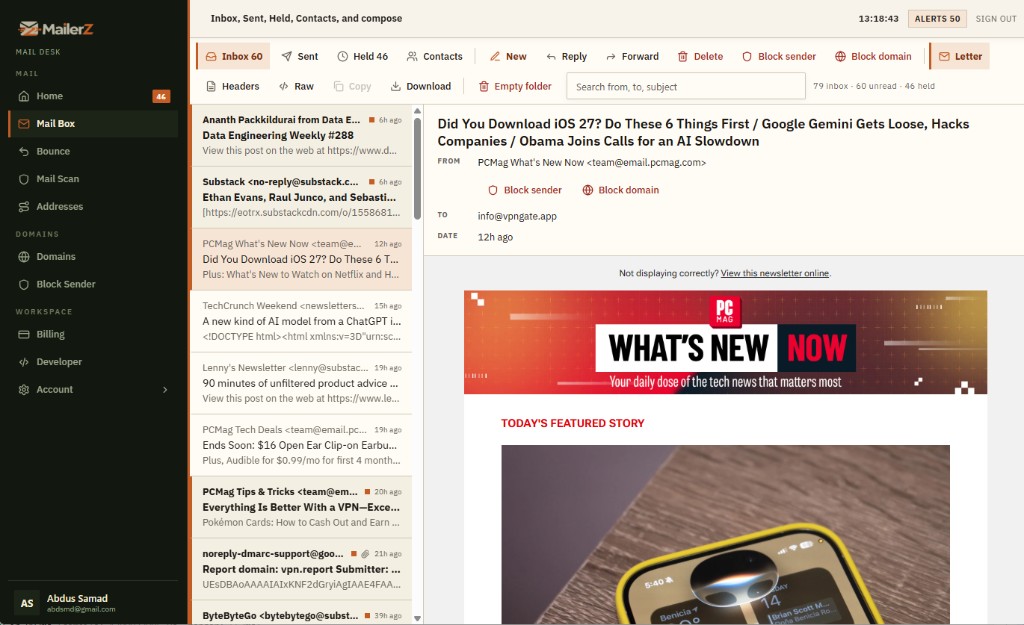
Mail Box
See every message in
Mail Box.
Mail Box is the portal at mail.mailerz.net where you open incoming mail, held email, forwarded copies, and every outgoing send — portal compose, authenticated SMTP, and the API. Open a real message. Reply as the domain. Or send email from your custom domain on a paid plan.
Custom domain Mail Box
What is Mail Box?
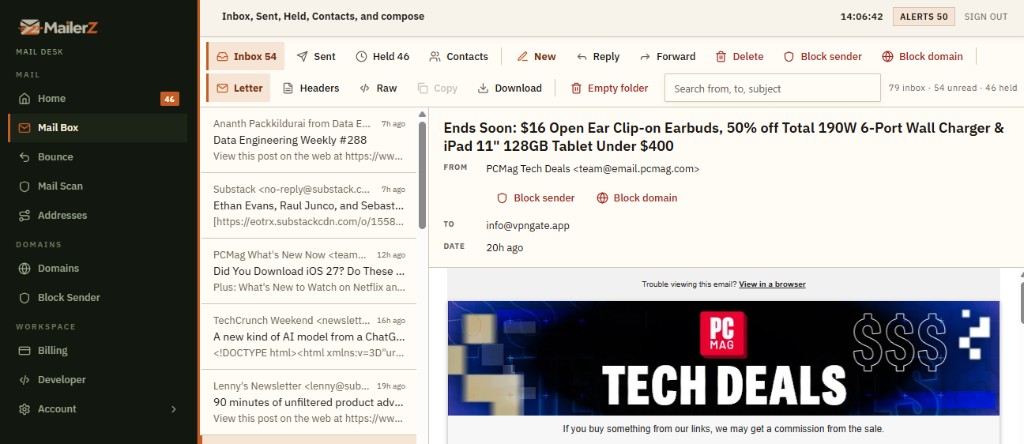
Mail Box is the webmail surface in the MailerZ portal at mail.mailerz.net. It lists incoming mail accepted for your verified domains, held messages that need a decision, forwarded copies, and outgoing mail from every send path: portal compose, authenticated SMTP, and the API. You open a message, then reply, compose new mail, block that message, or block the sender domain.
Message storage lasts 14 days on Free, 90 days on Solo through Agency, and 180 days on Unlimited. Confirm those windows on MailerZ pricing. Free keeps send-as, SMTP, and API Off, and unknown mail hold or reject. Every paid plan includes send-as On, SMTP On, API Enabled, and unknown mail Forward. Header From stays the original sender. SRS rewrites the envelope only.
| Stream | What you see | What you do |
|---|---|---|
| Incoming | Mail accepted for your aliases | Open, preview, reply, block |
| Held email | Accepted, not auto-forwarded | Forward, reject, or add the alias |
| Forwarded | Copies already sent to a destination | Inspect during the store window |
| Outgoing / Sent | Portal, SMTP, API, and portal forwards | Prove what left, from which identity |
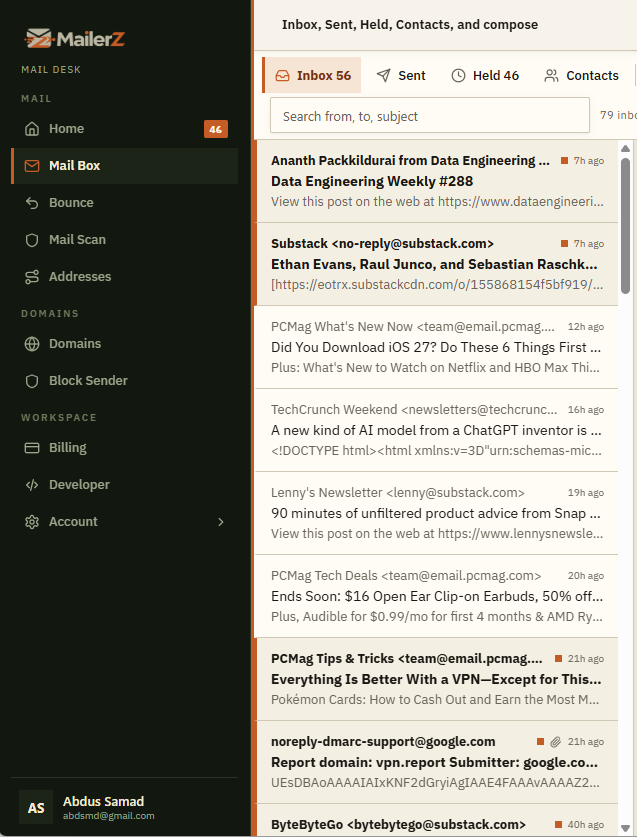
Incoming
See all incoming email for all the domains in one place.
Mail Box at mail.mailerz.net is one incoming list for every verified domain on the account. You do not open a separate inbox per domain. Accepted mail for your aliases lands here with the original sender, subject, and body. Header From stays the person who wrote it.
This is portal webmail — not IMAP, not POP, not a Gmail replacement, and not campaign sending.
- One incoming list for every domain on the account.
- Open accepted mail in the portal — not a per-domain mailbox.
- Stays available for the plan store window.
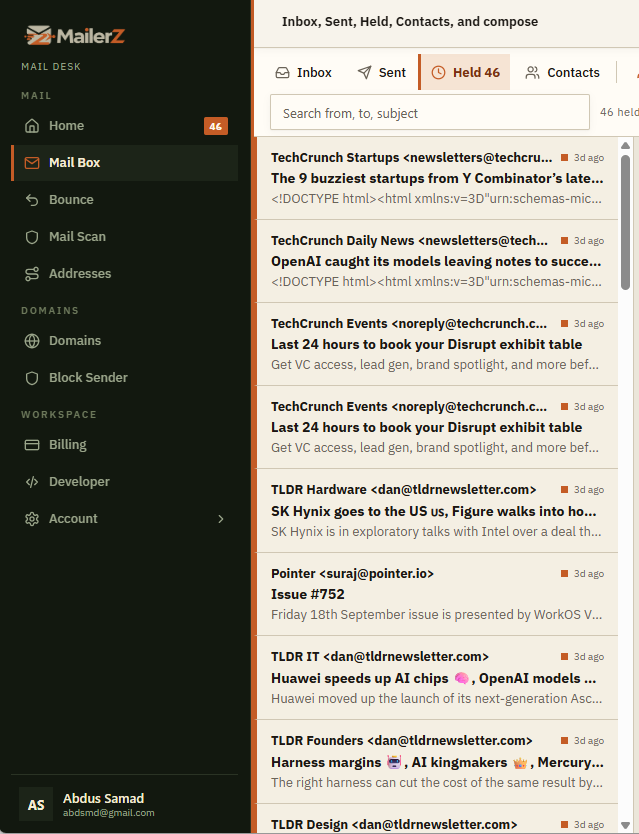
Held email
Held queue: unknown and held mail in one place.
The held queue is the review list in Mail Box. MailerZ accepted the message but did not automatically forward it — usually an unknown recipient or catch-all set to hold. Open Held, then forward, release, or reject. This is portal webmail at mail.mailerz.net. It is not IMAP and not POP.
Free unknown mail is hold or reject. Paid plans can set unknown mail to Forward — that is a plan gate, not a second queue.
- One held queue for mail that needs a decision.
- Review, then forward, release, or reject from the same list.
- Free holds or rejects unrouted mail. Paid Forward is a plan setting.
Forwarded
Forwarded copies stay visible in the portal.
When MailerZ forwards mail to Gmail or another destination, a copy remains visible in Mail Box. That incoming/forwarded stream is not a black hole. The destination mailbox stays a separate inbox.
Not IMAP. Not POP. Not a Gmail replacement. Header From on the forwarded hop stays the original sender.
- 01Inbound accepted
MailerZ accepts the message for your verified domain.
- 02Destination inbox
Gmail, Outlook, or the inbox you already use gets the hop.
- 03Copy stays in Mail Box
The portal still shows the forwarded stream during the store window.
- Destination stays the inbox you already use.
- Portal copy remains for the plan store window.
- Placement is still the destination provider’s call.
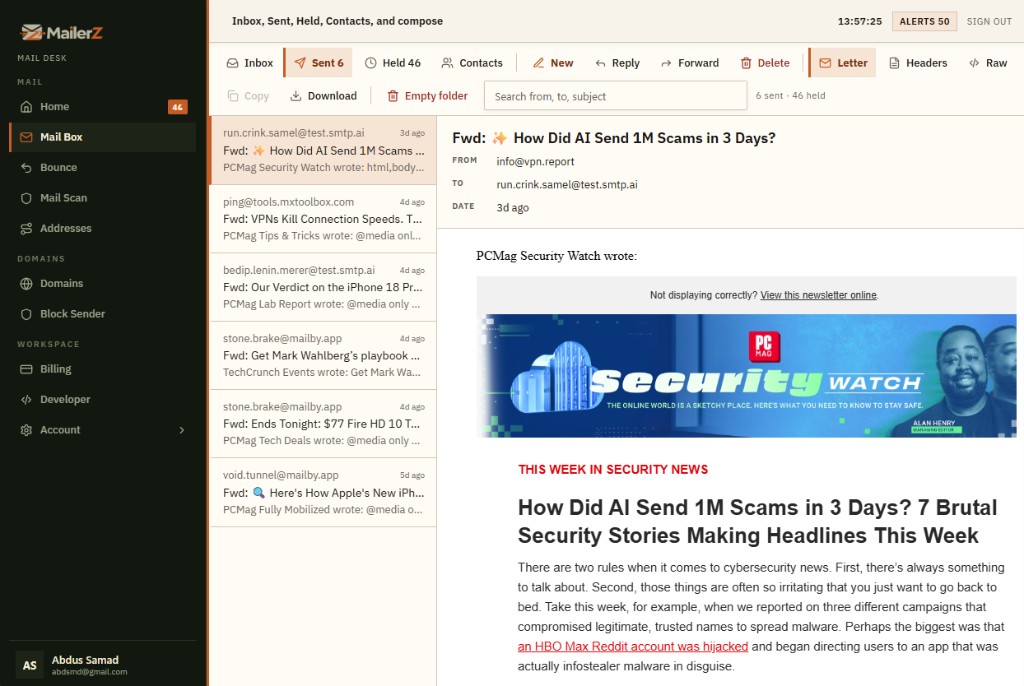
Sent box
Everything you send or forward shows in one Sent list.
The Sent box is one list for the whole account. Mail you compose in Mail Box, mail you send through authenticated SMTP, mail you send through the API, and mail you forward from the portal all land here. Every domain on the account shares that stream.
This is not a campaign sender, not IMAP, and not POP. Send-as, SMTP, and API stay On on every paid plan. Free keeps send-as, SMTP, and API Off.
- Portal compose, SMTP, API, and portal forwards in one Sent box.
- Same account, all domains — one stream.
- Not a campaign sender. Not IMAP or POP.
Send from portal
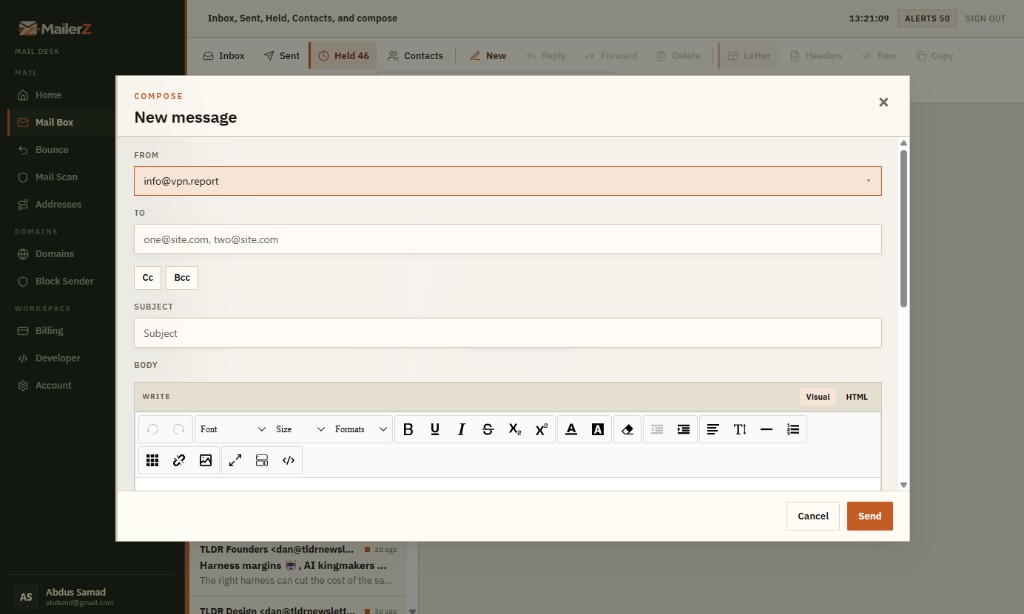
Compose in the portal as the domain.
You send email from a custom domain in the MailerZ portal by composing on a paid plan. Choose a verified identity such as hello@ or support@. The message is recorded in outgoing with SMTP and API sends. Recipients see your domain in Header From.
Free can receive and review. It cannot send as the domain.
- Portal compose uses the same identities as SMTP and the API.
- Outgoing history records the send beside the other channels.
- Hourly and monthly send-as limits apply on paid plans.
Send via SMTP
Authenticated SMTP, then the same outgoing list.
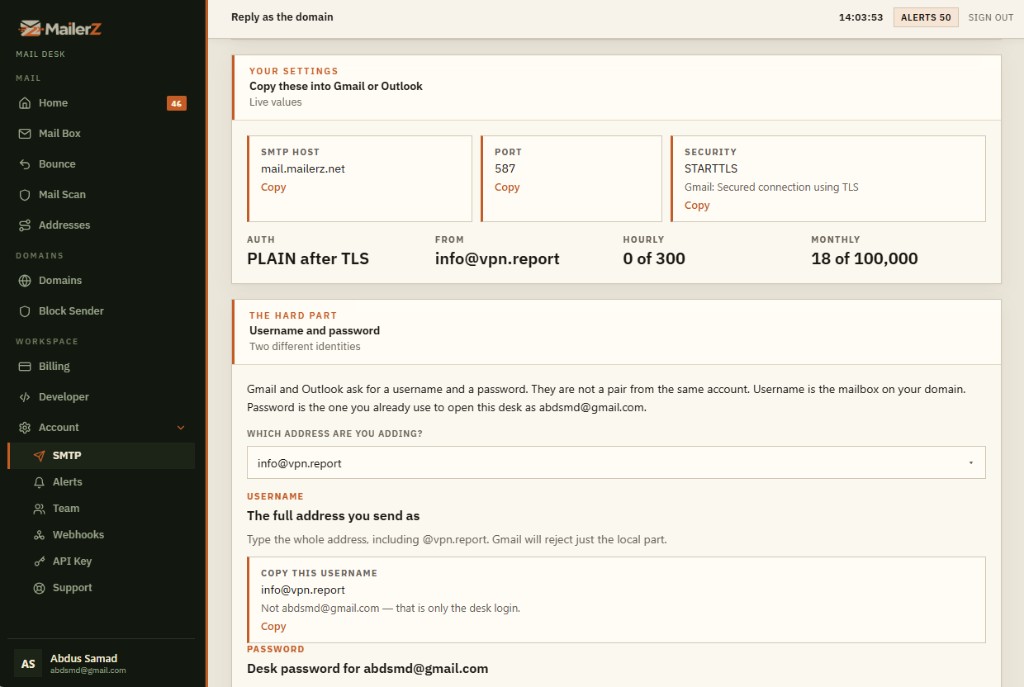
SMTP sending on MailerZ is authenticated outbound for paid plans. Add the MailerZ host, port, username, and password in Gmail, Outlook, or another client. Those sends still land in the portal outgoing list. Unauthorized From addresses receive SMTP 550. MailerZ is not an open relay.
Free keeps SMTP Off. SMTP is On on every paid plan. Do not quote a Free SMTP path.
- Same verified identities as portal compose and the API.
- Works with Gmail send-as and other SMTP clients.
- Envelope rules follow SMTP; Header From stays your identity.
Send via API
API submissions share the SMTP API portal stream.
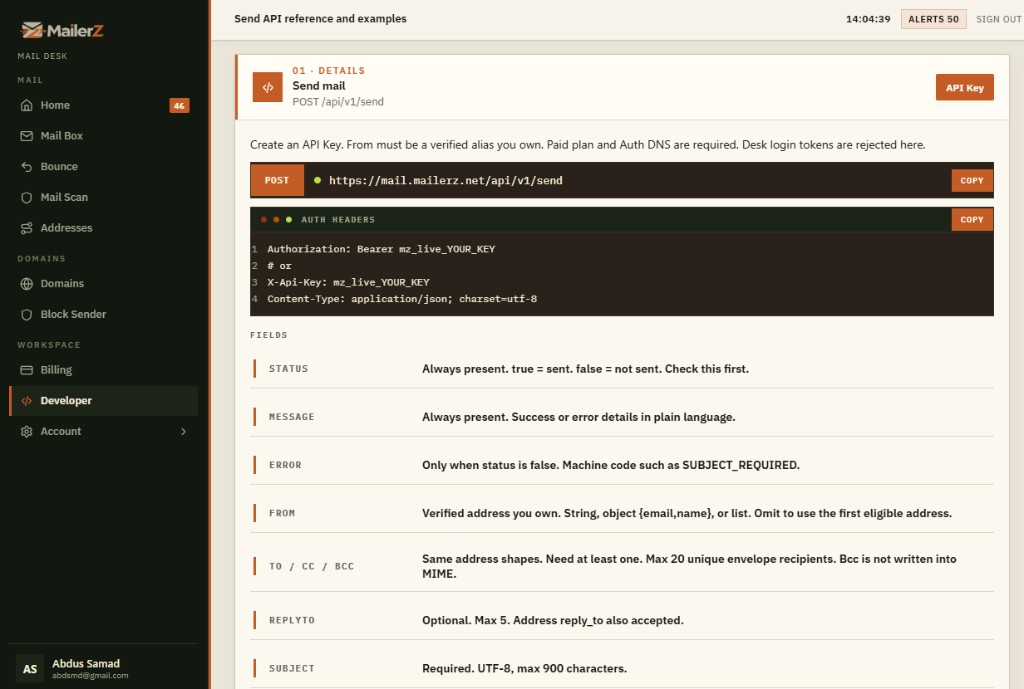
The MailerZ API is the third outbound path on every paid plan. API is Enabled on Solo, Starter, Business, Agency, and Unlimited. Applications and approved workflows submit through it using the same verified identities as portal compose and SMTP. Those messages appear in the same outgoing stream. Free keeps the API Off. This is not campaign sending.
Create an API key. Desk login tokens are rejected. One identity set. Three channels. One outgoing history.
- API sends count against the same send-as limits.
- Mail Box shows the result next to SMTP and compose.
- Unapproved From identities and desk login tokens are rejected.
Contacts
Contacts live next to the conversation.
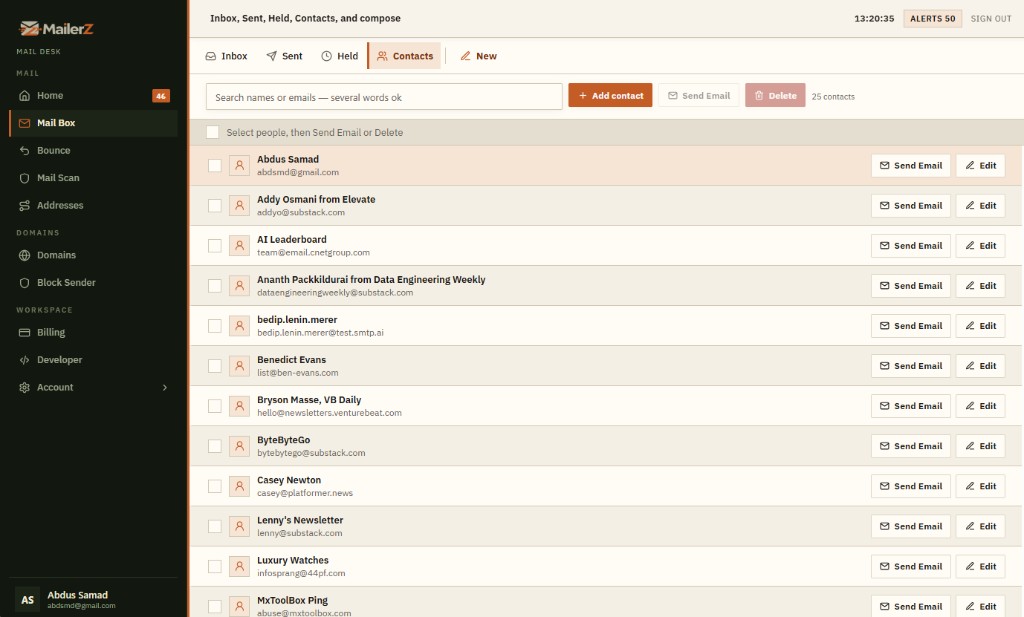
Contacts management in MailerZ stores people and organizations you email. Reuse addresses when composing. Keep role-address conversations tied to a name. Contacts ship with Mail Box — not a separate address-book product.
Save the person after you reply so the next send starts from a known recipient.
- Store people you actually email from the domain.
- Reuse addresses in portal compose.
- Included with Mail Box, not a second SKU.
Email preview
Reply, compose, or block from the preview.
Preview a message in Mail Box, then reply, compose new mail, block the sender, or block the sender domain. That is webmail-like work in the portal. It is not IMAP and not POP.
One preview. Four decisions. No desktop client required.
- Reply as a verified domain identity on paid plans.
- Compose new mail from the same preview.
- Block this email, or block the sender domain.
Scope
What the Mail Box is not.
The Mail Box is portal webmail for domain operations. IMAP and POP stay out of scope. Campaign sending stays out of scope. Gmail remains Gmail if you still forward there. Work the mail in the portal, or keep the mailbox you already pay for.
| This page | Out of scope |
|---|---|
| Portal Mail Box at mail.mailerz.net | IMAP or POP mailbox host |
| Reply and compose on paid plans | A Gmail replacement |
| SMTP On and API Enabled on every paid plan | Campaign or bulk sending |
Full product edges live on service scope. Plan store windows and send-as limits live on pricing.
Key takeaways
What to remember about Mail Box.
- Mail Box shows incoming, held, forwarded, and outgoing mail in one portal.
- Sent is one list: portal compose, SMTP, API, and portal forwards. Same account, all domains.
- You can send email from a custom domain on every paid plan: send-as On, SMTP On, API Enabled. Free keeps send-as, SMTP, and API Off. Unknown mail is Forward on paid plans and hold or reject on Free.
- Preview actions are reply, compose new, block this email, and block the sender domain.
- Contacts sit next to compose. Store windows are 14 / 90 / 180 days by plan.
- Header From stays intact. SRS is envelope-only. Unauthorized From returns 550.
Mail Box questions
Common questions about Mail Box.
Direct answers for search and assistants. The visible questions match the FAQ markup on this page.
Can I send email from a custom domain in MailerZ?
Yes, on every paid plan (Solo, Starter, Business, Agency, Unlimited). You send email from a custom domain through portal compose, authenticated SMTP, or the MailerZ API. Send-as is On, SMTP is On, and API is Enabled. Those three paths share verified From identities and the same hourly and monthly send-as limits. Free keeps send-as, SMTP, and API Off, so the portal can receive and review mail but cannot send as the domain.
What is held email in MailerZ?
Held email is a message MailerZ accepted but did not automatically forward, usually because the recipient was unknown or catch-all is set to hold. Open Held in Mail Box, then forward it, reject it, or create the missing alias. Free unknown mail is hold or reject. Every paid plan can set unknown mail to Forward.
Does the Sent box include portal sends, SMTP, API, and forwards?
Yes. Sent in Mail Box is one list for the account. Mail composed in the portal, sent through authenticated SMTP, sent through the API, and forwarded from the portal all appear there — every domain, one stream. They use the same approved identities. Unauthorized From addresses receive SMTP 550. MailerZ is not an open relay and not a campaign sender.
What can I do from an email preview in MailerZ?
Email preview in the Mail Box includes four actions: reply, compose new mail, block this email, and block the sender domain. That is webmail-like work in the portal at mail.mailerz.net. It is not IMAP and not POP.
Does the Mail Box replace Gmail or IMAP?
No. The Mail Box is portal webmail for domain operations. It does not host IMAP or POP mailboxes and does not replace Gmail. You can still forward to Gmail, Outlook, or another destination. Campaign and bulk sending stay out of scope.
How long does the Mail Box store messages?
The store window is 14 days on Free, 90 days on Solo through Agency, and 180 days on Unlimited. Confirm those windows on the pricing page before you quote them. The store is for inspection and recovery, not a permanent archive.
Open a real message. Reply as the domain.
Start free to receive and review. Every paid plan includes send-as On, SMTP On, and API Enabled.