A catch-all email address is a routing rule, not a magic inbox. When a sender types any local-part on your domain, MX still delivers the message to your mail system. If that local-part is not in your alias table, catch-all decides whether the unknown is held, rejected, or forwarded. Most teams should name hello@, sales@, and support@ first. Enable catch-all only when a typo would cost more than the spam it will attract.
Quick answer for what is catch all email
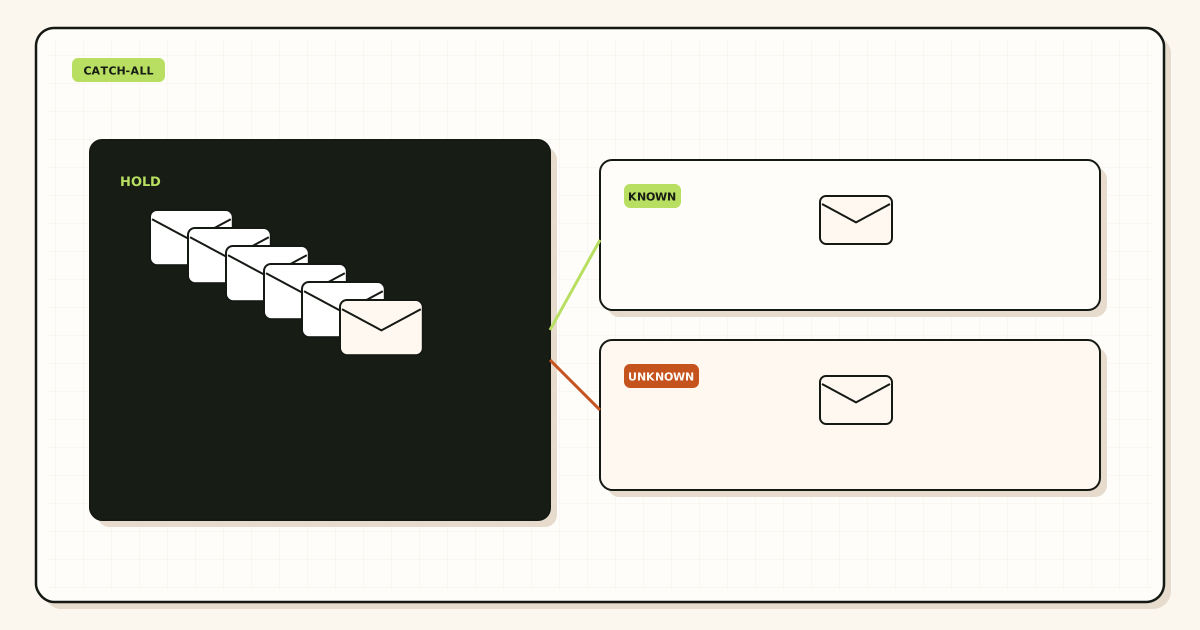
Catch-all means the domain accepts recipients that are not listed. SMTP still uses the same MX hosts described in IETF RFC 5321 — Simple Mail Transfer Protocol. The extra behavior sits after the MX hop: the server looks up the local-part, misses, and applies a default. That default can be a 550 unknown-user, a hold queue, or a forward into one inbox you already own.
People search “what is catch all email” after a customer typed info@ when the site printed hello@, or after a vendor guessed admin@. The missed mail feels like a product failure. The catch-all checkbox feels like the fix. It is a trade-off. You recover typos. You also accept dictionary guesses, harvested patterns, and old addresses you never intended to keep.
MailerZ treats the unknown path as a visible choice. Free holds unknown local-parts. Paid plans can turn on catch-all FORWARD. Neither path is an infinite alias list, an archive, or a mailbox seat. Header From stays the original sender. Envelope MAIL FROM uses SRS. The destination stays Gmail or Outlook.
Enable catch-all FORWARD when three facts are true. You already mapped the names you print. A mistype on a public string would lose a sale or a vendor notice. Someone will review the unknown queue every week. If any of those is false, keep hold. Named aliases remain the safer default.
Do not enable catch-all to avoid deciding who owns billing@. Do not enable it because a host control panel labeled the toggle “never miss email.” Missing mail from leftover MX looks the same as a disabled catch-all and is a different failure. Diagnose MX first.
The real decision behind what is catch all email
The user problem is not “should every domain accept every string.” The problem is “which unmatched recipients are worth the noise.” Teams mix four jobs into one toggle: recover typos, keep old printed addresses, hide an incomplete alias list, and collect whatever a scraper sends. Those jobs need different tools.
Typo recovery is narrow. A customer types suport@ instead of support@. If that string is public and high value, a temporary catch-all or an extra named alias for the misspelling can pay for itself. If the misspelling is rare, add the extra alias and leave unknowns held.
Legacy recovery is wider. A company used catch-all for years, printed random names on invoices, and now wants to migrate. Turning catch-all off on cutover day drops those strings. The migration article in this cluster covers that path. This article answers the first question: what the feature is, and whether a new domain should turn it on at all.
Incomplete naming is the common failure. Founders skip sales@ and press@, enable catch-all, and treat the destination inbox as a dump. Ownership disappears. When a contractor leaves, nobody knows which guessed names still matter. Spam volume hides the one invoice that used a unique local-part.
Scraper collection is not a product goal. If you accept every local-part, you accept the harvest. Dictionary attacks against small domains are cheap. A hold queue lets you see the pattern without delivering it into the same inbox that holds customer mail.
Decision criteria
- List every address already printed on the site, invoices, app stores, and vendor portals.
- Map each printed name to a destination the company keeps after a person leaves.
- Count leftover MX. If two providers still answer, fix DNS before you debate catch-all.
- Estimate unknown volume. If you cannot review it, do not forward it.
- Separate typo recovery from “accept everything.” One extra alias is often enough.
- Refuse catch-all as a substitute for role aliases. Roles need owners.
If the domain is new and you control every printed string, start with named aliases only. Three names cover most one-person companies: a public hello, a vendor billing address, and a personal operator address. MailerZ Free allows ten aliases on one domain. That is enough to learn the path without opening unknowns.
If the domain is old and you cannot list every printed string, hold first, then sample. Paid catch-all FORWARD is a later switch, not day-one setup. Read the product page for aliases and catch-all routing before you flip it.
Map the names you already print. Leave unknowns held until the table is honest.
See how aliases and catch-all are splitTechnical mail flow for a catch-all
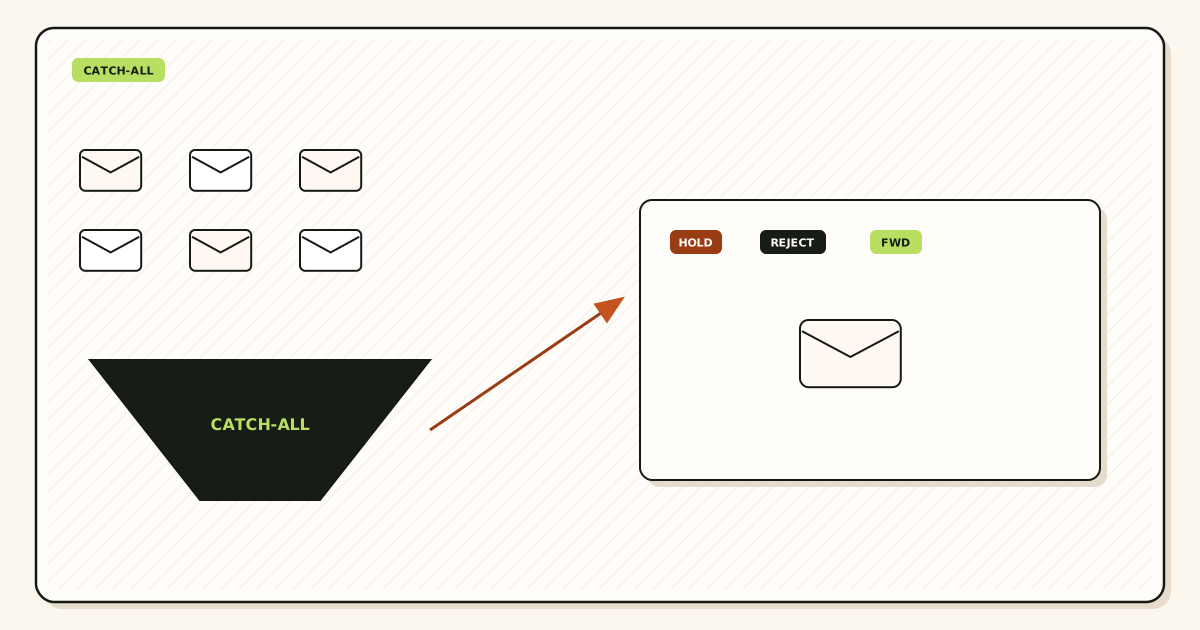
SMTP delivery is recipient-driven. The sending server looks up MX for the domain, connects, and issues RCPT TO for the full address. The receiving system then decides accept, defer, or reject. Catch-all changes only the accept policy for unmatched local-parts. It does not change how MX is published and it does not rewrite the visible From header.
What stays the same with or without catch-all
Public MX still points at one provider. Leftover MX from Google, Microsoft, or an old host still splits traffic. SPF still describes who may send as the domain. DKIM still signs outbound mail. DMARC still compares Header From to authenticated domains. Forwarding still rewrites envelope MAIL FROM so the hop does not fail SPF at the destination. MailerZ uses SRS for that envelope rewrite and leaves Header From, Subject, Date, Message-ID, body, and MIME untouched.
Those invariants matter because operators blame catch-all for failures that started at DNS. A message to hello@ that never arrives is usually leftover MX or a self-send short-circuit, not a missing catch-all. A message to asdf123@ that does arrive after you enabled FORWARD is working as designed, including the spam that arrives with it.
Named match versus unknown
A named alias is an exact local-part you created. support@yourdomain.com matches support. It does not match support+vip unless you created that string too. MailerZ does not strip plus tags on custom domains. Do not treat Gmail-style plus addressing as a catch-all substitute. Plus tags are a destination-provider feature, documented for Gmail in Google Gmail Help — Using an address alias (plus addressing). They are not a public role on your domain.
An unknown is any other local-part. On Free, MailerZ holds that mail. Held mail is not forwarded into Gmail. You can inspect the hop in history. Recovery window is 14 days on Free and 90 days on paid. That store is a hop record, not a finance archive and not a legal hold.
On paid plans, catch-all FORWARD is optional. When enabled, unmatched recipients follow the catch-all destination you set. The forward still uses SRS on the envelope. The destination inbox still applies its own spam filters. Inbox placement is not an SLA.
Reject versus hold versus forward
- Reject (550 unknown user) tells honest senders the address does not exist. It also teaches scrapers which names fail, depending on how noisy your reject is.
- Hold keeps the hop without delivering it to a human inbox. Useful while you learn volume.
- Forward delivers unknowns to a mailbox. Useful only when a human will sort them.
SMTP 550 for unhosted or unauthorized recipients is the open-relay boundary. MailerZ is not an open relay. Catch-all FORWARD is still scoped to a verified domain you control. It is not a license to accept mail for domains you do not host.
If you also send as the domain, authentication records stay on you. Catch-all does not sign mail. Paid send-as uses authenticated SMTP from approved identities, with hourly and monthly caps. Free has no send-as. Mixing inbound catch-all with outbound identity is a later step, not a reason to enable the toggle on day one.
Step-by-step setup and decision path
Treat catch-all as the last switch, not the first. The path below assumes a domain you already own and a Gmail or Outlook inbox you already use. It does not assume a new mailbox seat.
- Inventory printed names. Export the site footer, invoice PDF, App Store contact, Stripe receipts, and any partner portal. Write the exact local-parts. If you cannot list them, you are not ready to disable an old catch-all, and you are not ready to enable a new one blindly.
- Create named aliases first. Map each printed name to a destination the company keeps. Prefer a shared operations inbox over a contractor Gmail. Change people later without reprinting the stamp.
- Publish one MX set. Add the verification TXT. Point MX at the forwarder. Delete leftover MX at Google, Microsoft, and the registrar. Split MX is a hard stop. Confirm with two public resolvers, not only the registrar panel.
- Prove each named alias. From an unrelated mailbox, send a uniquely titled message to every printed name. Confirm Header From, destination, and history. Do not test by emailing yourself inside Gmail.
- Probe one invented local-part. Send to
unknown-test-2026@yourdomain.com. On Free you should see a hold, not a destination copy. That is the safe default. - Decide hold versus FORWARD. If named tests pass and you still lose money to a known typo, add that typo as a named alias. If the unknown set is large and valuable, enable paid catch-all FORWARD and assign a reviewer.
- Watch a week of unknown volume. If the queue is mostly dictionary spam, turn FORWARD off. Keep the named table. Document the decision so the next operator does not re-enable it from habit.
Setup docs live on MailerZ docs. Use them for the MX and alias clicks. This article is the policy, not a second control panel.
When to add a typo alias instead
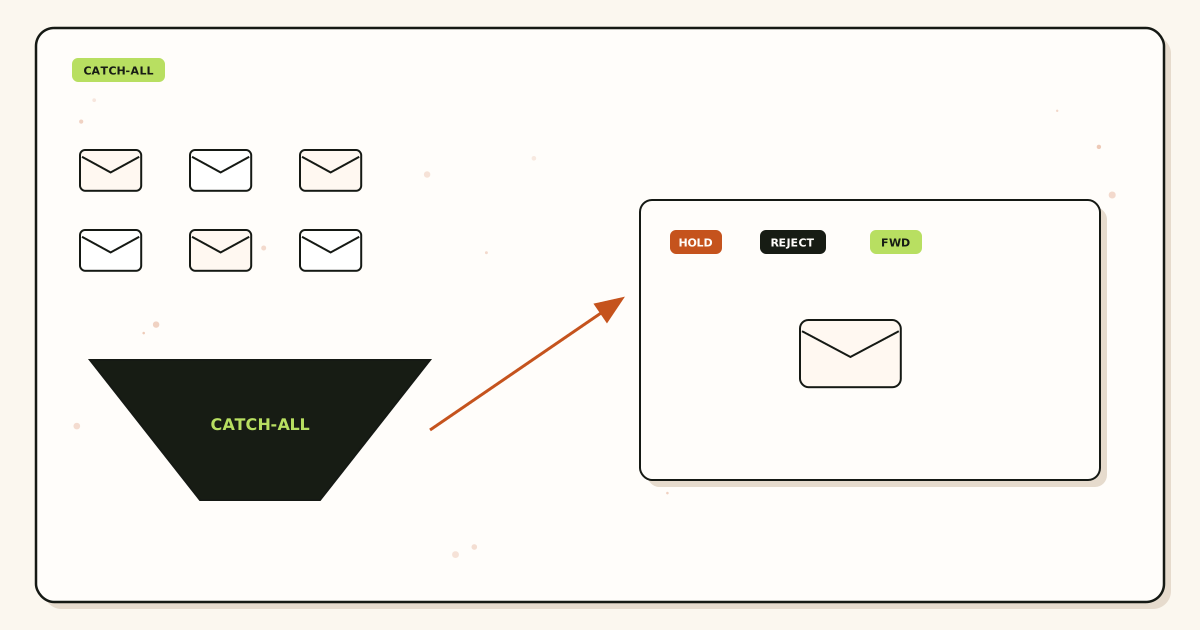
If customers repeatedly misspell one public string, create that misspelling as a named alias. You get recovery without accepting admin@, webmaster@, and every other guess. That is the usual best practice for a small domain. Catch-all is the blunt tool. A second named row is the precise one.
Agencies that manage many domains face a different pressure. Clients forget which names they printed. A week of paid FORWARD during cutover can surface those strings. After you promote them to named aliases, turn FORWARD off again. Temporary catch-all is an audit. Permanent catch-all is a habit.
Walk a sample route before you change production MX. The lab shows named versus unknown without guessing.
Open the email routing labFailure modes and how you prove them
Catch-all failures are usually policy failures dressed as DNS. The table below is the proof order we use when a founder says “email is broken” after touching the toggle.
| Symptom | Likely cause | Proof |
|---|---|---|
| Named alias never arrives | Leftover MX or wrong destination. | Public MX from two resolvers. History for that Message-ID. |
| Invented name arrives on Free | You are not on Free, or another host still accepts the domain. | Plan card. MX hosts. Hold queue empty or not. |
| Invented name missing on paid FORWARD | FORWARD off, destination full, or leftover MX. | Catch-all setting. Destination bounce. MX set. |
| Spam flood after enable | Working catch-all plus harvested names. | Unknown volume in history. Turn FORWARD off. |
| Self-send never appears | Gmail short-circuit, not catch-all. | Repeat from another provider. |
| Old printed name dies after migration | Catch-all turned off before the name was mapped. | Inventory versus alias table. |
| Loop or duplicate copies | Destination is another alias on the same domain. | Route table. Destination must be an external mailbox. |
| 550 on send-as | Free plan or unauthorized From. | History SMTP text. Send-as is not catch-all. |
Leftover MX is the silent twin of catch-all. If Google still publishes an MX next to MailerZ, some senders hit Workspace, some hit the forwarder. Named mail looks “random.” Operators enable catch-all to compensate. That does not unify MX. Delete the leftover records. Treat mixed MX as a hard stop. Delivery recovery is the hop history for failed or held messages, not a promise that every unknown will be replayed forever.
Held mail expires. Free keeps hops for 14 days. Paid keeps 90. If you discover a needed local-part on day 20 of Free, the original message may already be gone. Promote that name to a named alias and ask the sender to resend. Do not treat hold as an archive.
Destination spam folders are another false catch-all story. Forwarded mail keeps the original Header From. Destination filters still score the sender. A customer message can land in Gmail spam with catch-all on or off. Check the destination, not only the forwarder toggle.
Unauthorized send is unrelated. Catch-all does not grant SMTP. Unhosted or unauthorized recipients get 550 / 550 5.7.1. If you need replies to show the domain, that is paid send-as, configured in Gmail or Outlook against MailerZ SMTP. Do not enable catch-all hoping outbound identity appears.
MailerZ workflow and product boundary
Secuno LLC operates MailerZ. Site: mailerz.net. App: mail.mailerz.net. Catch-all is a domain policy on top of named aliases. It is not a mailbox product.
What MailerZ does with unknowns
- Accept mail for verified domains on one MX set.
- Match named aliases to destinations you choose.
- Hold unknown local-parts on Free.
- Optionally FORWARD unknowns on paid plans.
- Preserve Header From on the forward. Envelope SRS only.
- Keep hop history for 14 days on Free, 90 on paid.
- Refuse open relay. Unhosted or unauthorized recipients get SMTP 550.
What MailerZ does not do
- Give catch-all its own IMAP store or webmail.
- Strip plus tags on your custom domain.
- Rewrite Header From, Subject, Date, Message-ID, body, or MIME.
- Enable catch-all FORWARD on Free.
- Offer send-as on Free.
- Promise inbox placement, uptime SLAs, review counts, SOC 2, ISO 27001, or HIPAA. Controls: Security and Trust Center.
- Replace a legal archive or eDiscovery hold.
Plans stay as published on pricing. Free: $0, one domain, ten aliases, one seat, 14-day store, send-as disabled, SMTP and API disabled. Solo: $40/year, 25 aliases, 90-day store, 2,500 outgoing/month, 20 send-as/hour. Starter: $8 or $80, eight domains, 50 aliases, five seats, 5,000 outgoing, 40/hour. Business: $19 or $190, 25 / 200 / 25, 12,000 outgoing, 60/hour. Agency: $39 or $390, 100 / 500 / 50, 20,000 outgoing, 60/hour. Annual Starter, Business, and Agency include two months free versus monthly. Solo is yearly only. Limits are capacity, not an inbox SLA.
Seats are dashboard operators, not extra catch-all inboxes. If five people must change routes, you need seats. If five people only read Gmail labels, you still have one destination. Do not buy seats to simulate aliases.
Compare catch-all versus named aliases as a safety question in the existing safer-for-business article when you need that contrast. This page stays on the definition and the enable decision. Product routing detail: email forwarding.
Cost, alternatives, and trade-offs
Catch-all looks free because the toggle is one click. The cost is operator time and spam load in the destination. Named aliases cost a row in the table and a few minutes of proof. Suite seats cost a monthly user for a name nobody logs into.
| Approach | You get | You give up |
|---|---|---|
| Named aliases only | Predictable owners. Low spam from guesses. | Typos you did not add as extra aliases. |
| MailerZ Free hold | Unknowns visible in history without inbox noise. | No FORWARD. 14-day hop window. Three aliases. |
| Paid catch-all FORWARD | Typos and forgotten prints can arrive. | Spam volume. A human must sort. |
| Hosted suite catch-all | Vendor mailbox and suite tools. | Per-user price. Still the same spam trade-off. |
| Plus tags on a personal Gmail | Free filters for one person. | Forms break. Not a domain policy. |
Google Workspace pricing is a suite decision, not a catch-all decision. If you need Calendar, Drive, and a hosted mailbox, buy the suite. If you need a domain that receives and can send as named identities, forwarding plus paid SMTP is the cheaper path. Google’s product overview: Google Workspace — product overview. Do not score either path with invented review counts.
Cloudflare Email Routing and ImprovMX sit in the same inbound class. They are not MailerZ. MailerZ Free is hold-only for unknowns, 14-day store, no send-as. Paid adds FORWARD and authenticated send-as inside published caps. Compare current cards if you are shopping that class. This article does not claim feature parity.
Best practice is cheap: print fewer names, map the ones you print, hold the rest, add a typo alias when a misspelling repeats. Catch-all FORWARD is the exception for messy domains and short audits. It is not the default for a clean launch.
FAQ
What is the safest way to handle what is catch all email?
Name the addresses you will staff first. Publish one MX set and delete leftover MX. Leave unknown local-parts on hold until you can review volume. Enable catch-all FORWARD only on a paid plan when a real typo would lose money and someone will read the unknown queue.
Does this require a new mailbox?
No. A catch-all is a routing rule for unmatched local-parts, not a hosted inbox. MailerZ is not IMAP. Gmail or Outlook stays the store. Buy a suite seat only if someone needs Calendar and a vendor mailbox, not because you turned on catch-all.
Will it work with Gmail or Outlook?
Yes as destinations. Named aliases and paid catch-all FORWARD land in the inbox you already use. Header From stays the original sender. Envelope MAIL FROM uses SRS. Free holds unknowns instead of forwarding them. Self-send from the same Gmail can hide routing errors.
What DNS records are involved?
A verification TXT, one MX set that points at the forwarder, leftover MX removal, and SPF, DKIM, and DMARC if the domain also sends. Catch-all does not replace MX. Split leftover MX still loses mail in a pattern that looks random.
What should I test before production?
Send uniquely titled messages from an unrelated mailbox to each named alias, then to one invented local-part. Confirm named mail arrives. Confirm the unknown is held on Free or forwarded only if you enabled paid catch-all. Check leftover MX from two public resolvers.
Key takeaways
- A catch-all is the policy for local-parts you did not name.
- MX still delivers the domain. Catch-all does not replace DNS.
- Name hello@, sales@, and support@ before you debate the toggle.
- Free holds unknowns. Paid catch-all FORWARD is optional.
- Do not enable catch-all to skip role ownership.
- A repeated typo is usually a second named alias, not a permanent FORWARD.
- Leftover MX looks like random loss. Delete it before you touch catch-all.
- Header From stays original. Envelope SRS is the allowed rewrite.
- Held hops last 14 days on Free and 90 on paid. That is not an archive.
- MailerZ is not IMAP, not a suite, and not SOC 2.
Conclusion and next action
If you came here asking what is catch all email, the short version is this: unmatched recipients on your domain can be held, rejected, or forwarded. Enabling the forward is a spam-versus-typo trade-off, not a completeness badge. Most domains should keep unknowns held and spend the afternoon naming the addresses they already print.
MailerZ fits that order. Add one domain. Map the names you staff. Prove inbound from another mailbox. Leave Free hold in place until a real typo or a migration audit justifies paid FORWARD. Do not buy a mailbox seat for a guessed local-part. Do not treat catch-all as an infinite role list.
Next action: write the printed names, map three aliases, and send one invented-address test so you see hold with your own eyes. Then decide. Register path is one domain.
Ready to name the addresses you print
Start free with one domain and keep unknowns held.
Three aliases on Free. Paid catch-all FORWARD only when a typo is worth the noise.
Review quarterly, or sooner if hold windows or catch-all defaults change. Author: MailerZ editorial, Secuno LLC.