Lower TTL before an email migration so resolvers drop the old MX set quickly after you publish the new one. Change TTL on the records you will swap, wait at least the old TTL, then cut exclusive MX. Lowering TTL at the moment of the cut does nothing for caches that already hold the old answer. Dual MX is not a TTL strategy. It is a split-brain.
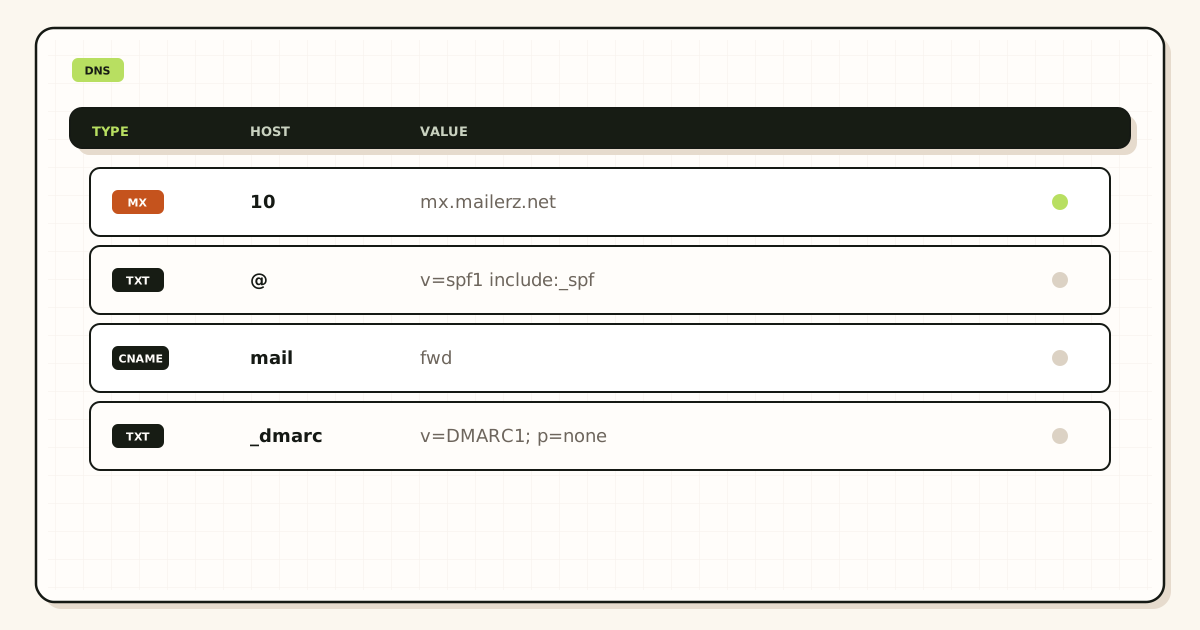
Quick answer for lower ttl email migration
TTL is how long a resolver may remember MX. If the old TTL is 86400 and you cut immediately after lowering it, many resolvers still have a day of the old set.
RFC 1035 is the language. Your panel may show minutes. Convert. Write the wait in the ticket as a timestamp.
Authoritative nameservers are the only place the change counts. Registrar records do nothing if NS points elsewhere.
Some managed DNS products clamp minimum TTL. If they will not go below 300 or 3600, plan the wait with that floor. Do not invent a MailerZ TTL.
After the cut, raising TTL again is fine. Low TTL forever means more queries and more chance of seeing a mid-edit. Raise when the new MX is boring.
If you already cut and people still hit the old host, you are in leftover-or-cache land. Do not add the old MX back “to help.” Wait or tell those senders to retry later.
Authoritative mail transport is defined in IETF RFC 1035 — Domain names. Product path: migration planner, MailerZ documentation, and troubleshooting. Confirm plan limits on MailerZ pricing before you cut (Solo is $40 per year; Free keeps send-as, SMTP, and API Off). After exclusive MX answers, inbound and held copies appear in Mail Box.
The wait is the whole point. If yesterday’s MX TTL was 86,400 seconds, you do not publish MailerZ MX at lunch and call the migration done at 2 p.m. You lower TTL, write the earliest safe cut on a calendar, and only then delete leftover hosts. A probe that lands in Mail Box from one resolver while another still answers the old MX is not a MailerZ defect. It is a cache you refused to wait out. Two public lookups, two matching MailerZ hostnames, then you raise TTL again.
User problem and decision criteria
Decision criteria: current TTL, who can edit the authoritative zone, how long you can wait, whether MX is already dual.
Criteria that do not belong: dual MX as a cache workaround, lowering TTL on the wrong panel, skipping the wait because a calendar invite exists.
Agencies should put “TTL lowered at T-24h” on the migration calendar. Cuts without that line are late-resolver incidents.
If you cannot wait, say the risk out loud. Some mail will arrive late to the new hop. That is not a MailerZ defect.
If marketing printed the address yesterday, you are already in production. Lower TTL still helps the next change. It does not rewind.
If two people lower TTL and also add records, you will not know what cached. One editor.
AAAA or unexpected records are not a substitute for MX exclusivity.
Do not lower TTL on a domain you do not control. Get NS access first.
Technical mail flow
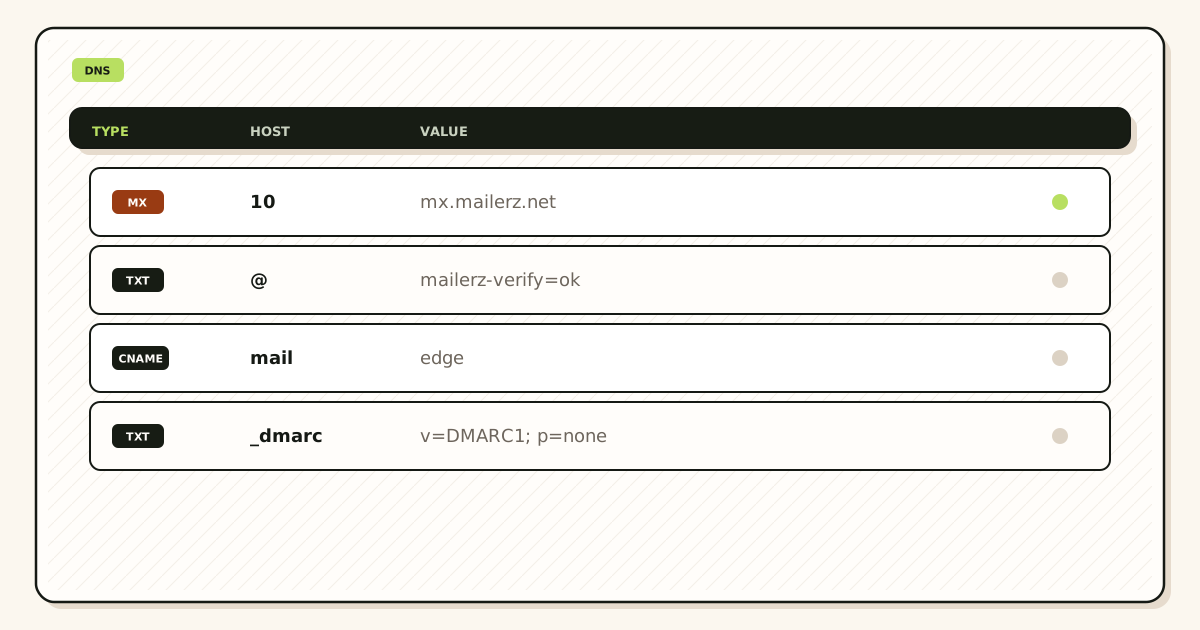
Query current MX and TTL. Record them.
Publish lower TTL on the same MX set you still want. Wait.
Publish new exclusive MX with the low TTL. Delete leftovers.
Query two resolvers until they agree.
After twenty-four quiet hours, raise TTL if you want fewer lookups.
Step-by-step setup / decision path
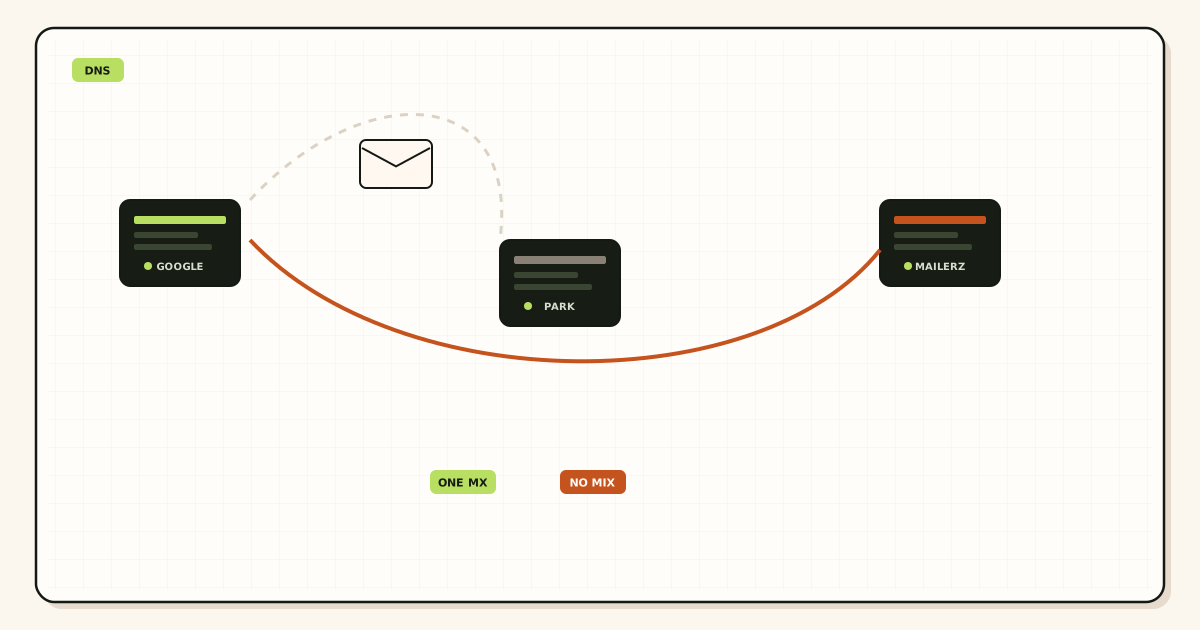
- Find authoritative NS. Ignore the unused registrar zone.
- Read current MX TTL. Write the wait deadline.
- Lower TTL. Do not change targets yet.
- Wait the old TTL. Do not cut early.
- Create aliases on MailerZ if not already done.
- Cut exclusive MX. Delete leftovers.
- Query two resolvers. Screenshot.
- Probe from a third mailbox. Then consider raising TTL later.
If a CDN-style DNS UI hides TTL, find the advanced view. A default of auto is not a plan.
Document the clamp if the vendor refuses low values. The calendar moves, not physics.
TTL does not replace HOLD, aliases, or exclusive ownership. It only makes the cut converge faster.
Failure modes and proof
Cut without waiting: late resolvers on old MX. Proof: two resolvers disagree.
Edited registrar, NS elsewhere: no change. Proof: public NS.
Dual MX during wait: split remains. Proof: two owners.
Lowered A instead of MX: mail unchanged. Proof: MX TTL still high.
Raised TTL before the cut settled: long leftover. Proof: new high TTL on old targets.
No screenshot: cannot prove what cached. Proof: argument.
Multiple editors: unknown serial. Proof: change log.
Assuming MailerZ sets your TTL: it does not. Your DNS host does.
Using dual MX instead of TTL: lost mail. Proof: history gaps.
Skipping aliases before a fast cut: 550. Proof: unknown recipients.
Null MX still published: reject. Proof: public MX.
Promising instant global cut: false. TTL is the reason.
MailerZ workflow and product boundary
MailerZ is custom-domain aliasing and forwarding with optional paid send-as. Secuno LLC operates mailerz.net. The app is mail.mailerz.net. Not Workspace, not IMAP, not an open relay, not a campaign ESP.
Envelope SRS only. Header From, Subject, Date, Message-ID, body, and MIME stay intact. Exclusive MX. Hold unknown on Free. Copy SMTP host, port, and TLS or STARTTLS from the dashboard when you send. Do not invent 587 or 465 as MailerZ facts.
Free: one domain, ten aliases, one seat, fourteen-day store, send-as disabled, SMTP and API disabled. Solo forty dollars a year, twenty-five aliases, ninety-day store, 2,500 outgoing, 20 send-as per hour. Starter eight monthly or eighty yearly. Business nineteen or one hundred ninety. Agency thirty-nine or three hundred ninety. Quote the pricing page. No SOC 2, ISO, HIPAA, SLA, or inboxing percentage.
MailerZ does not host your TTL. It consumes the MX you publish. Migration planner assumes you can wait or you accept late caches.
Cost, alternatives, and trade-offs
Waiting is cheaper than dual MX insurance.
Agency calendar time should include the wait. Free is not a reason to skip it.
Emergency cuts without TTL wait cost support hours.
Raising TTL after success reduces query noise. Minor, still worth it.
Wrong-panel edits cost a day of “why didn’t it change.”
A rehearsal domain teaches TTL without customer mail.
Do not buy extra products to dodge a wait.
Honest customer comms about convergence beat a fake instant cutover.
TTL calendar and vendor clamps
Write three timestamps: TTL lowered, earliest legal cut, actual cut. If those collapse into one meeting invite, you did not lower TTL. You typed a smaller number and cut while caches still held the old answer.
Some DNS hosts advertise “automatic TTL.” That is not a plan. Find the number. If you cannot find it, assume it is long and wait a day after you first see a low value in public.
Clamps exist. A vendor that will not go below one hour means your wait is at least one old hour after you publish the clamp value. Argue with the vendor on a rehearsal domain, not on cut day.
Query remaining TTL, not just the record data. A resolver that still shows 20,000 seconds of the old MX is not ready. Two resolvers that disagree mean you wait or you have split publication.
Do not lower TTL on records you will not change “for luck.” Extra churn on A and CNAME can surprise a website cut that was not in scope.
After a successful exclusive MX cut and a quiet day, raise TTL again. Forever-low TTL is more queries and more chances to observe a mid-edit. Boring mail deserves a boring TTL.
If you must emergency-cut with a high TTL still in the wild, tell customers some senders will be late. Offer a retry. Do not add the old MX back to “help the late ones.” That extends the split.
Registrar versus nameserver confusion is the usual TTL miss. Public NS is the judge. The unused registrar zone can show a pretty low TTL and still be fiction.
Document who can change TTL. A marketing intern with registrar login is how TTL jumps back up an hour before the cut.
TTL does not create aliases. A fast cut with an empty map is a fast 550. Sequence still matters.
MailerZ does not set your TTL. Support cannot “push propagation.” They can read history after senders arrive.
Put the TTL wait on the agency calendar as a named task. Invisible waits get skipped. Skipped waits become leftover-MX tickets.
TTL is a clock, not a delete button
How to lower DNS TTL before an email migration is a sequenced clock. You lower TTL on the records you will change — usually MX, sometimes the zone default — at the nameservers that actually answer. You wait at least the previous TTL so caches expire. Then you publish exclusive MailerZ MX and delete leftover Google, Microsoft, Cloudflare routing, or registrar hosts. You confirm on two public resolvers. Lowering TTL does not remove a leftover you left published. It only makes that leftover show up faster in more caches.
Print NS first. Buying the domain at a registrar does not mean that registrar answers. Cloudflare, Route 53, or a host can own NS while the registrar still shows a DNS tab that does nothing. Edit the panel that matches public NS. A low TTL on a silent zone never helps the internet. MailerZ verify TXT on the wrong zone is the same class of miss.
Priority numbers on MX are an order, not load balancing. A leftover host with a better preference still accepts during your “low TTL window.” A leftover with a worse preference still accepts when a sender retries the second host. Exclusive MailerZ MX means delete the leftovers. Save the old set as text before you delete. You will want that text if you roll back a nameserver move.
Do not lower random A and CNAME records you will not change unless you know why. A site cut and an MX cut on the same afternoon with a shared low TTL is how people blame email for a CDN miss. Change what you will change. Leave the rest. Verification TXT can stay. SPF, DKIM, and DMARC are sending records; lower them only if you will rewrite them in the same window.
How long to wait
If the old MX TTL was 3600, wait at least an hour after you publish the new low TTL before you cut. If it was 86400, wait a day. Query 8.8.8.8 and 1.1.1.1 for remaining TTL on the old value. When both caches show the low TTL and still the old MX, you are ready to cut. When they disagree, you are still in cache. Do not probe inbound yet. Probing during a split recreates “random” misses that are leftover MX.
After the cut, wait for both views to show exclusive MailerZ MX. Then probe from a mailbox that is not the destination. Unique subject. Open dest including spam. Open history. You want accepted, then forwarded. Empty history after a green self-send means hop one still belongs to someone else. Gmail can short-circuit self-send to the same Gmail. Raise TTL again after the probe lands so you are not living on a five-minute MX forever.
A migration clock that failed, then passed
An operator lowered TTL in the GoDaddy panel. Public NS was Cloudflare. The internet never saw the low TTL. They cut MX on GoDaddy, waited twenty minutes, and announced hello@. Customers still hit Google Workspace leftovers on Cloudflare. History was empty. The fix was lower TTL on Cloudflare, wait the previous TTL, publish exclusive MailerZ there, delete leftovers, compare two resolvers, then probe from Outlook.com. That is the whole mystery class.
A second operator lowered TTL, cut, and left a registrar “email forwarding” host as backup. 1.1.1.1 showed MailerZ. 8.8.8.8 still had the leftover with remaining TTL. They called it propagation and waited a week. TTL does not delete a record you left published. Delete, recheck both views, probe again.
Wizards and Domain Connect helpers can restore leftovers after a clean cut. Recheck two public views after any wizard. Cite vendor helper docs with nofollow when you quote them. Then republish exclusive MailerZ MX. MailerZ remains inbound MX plus authenticated SMTP around Gmail or Outlook. Envelope SRS only. Header From stays. Not an open relay. Confirm /pricing. Free proves inbound on one domain. Solo is forty dollars per year when the domain From must travel.
Agencies: one clock per client zone. Do not paste client A’s TTL plan onto client B because the hostnames looked familiar. A template that restores leftovers will show up in 8.8.8.8 tomorrow. Related pages: docs, troubleshooting, tools, migration planner. This page is the clock.
What not to do while the clock runs
Do not enable catch-all forward “so nothing is lost” during TTL wait. Hold unknowns. Do not add send-as until hop one is exclusive and a foreign probe lands. Do not open fifty recovery tickets for empty history. Delivery recovery only stores hops this layer saw. A leftover miss is not there. Do not mail SMTP secrets to support. Send a 550 line, a timestamp, and a Message-ID.
Legal wording stays published: not SOC 2, not ISO 27001, not HIPAA. Store windows are recovery, not legal hold. When the cut is closed, the next physical action is two resolver prints and one probe, not another blog tab. Start free on a domain you can break. Sign in if the zone already lives here. Review TTL again before the next nameserver move.
Print the plan on a sticky: old TTL, new TTL, wait until, cut time, leftover delete, two views, probe subject. If any box is empty, you are not ready. That is how to lower DNS TTL before an email migration without turning cache into folklore.
TTL math you can write on the ticket
Write the old MX TTL in seconds. Write the time you published the new low TTL. Add them. That sum is the earliest honest cut, plus a slack window for the slower of 8.8.8.8 and 1.1.1.1. If the old TTL was 21600, a twenty-minute wait is folklore. Query remaining TTL on both resolvers. When remaining TTL on the old value is near zero and both still show the old MX, cut. When they already show the new low TTL and the old MX, you are in the wait-for-cut window. When they show mixed MX owners, a leftover or a mid-cut cache is still live. Do not announce hello@ in that window.
After exclusive MailerZ MX is visible on both views, send one foreign probe. Unique subject. Dest including spam. History accepted then forwarded. Empty history means hop one is still split or the alias is unnamed. Do not lower TTL a second time to “speed empty history.” Delete the leftover. Wait the new remaining TTL. Probe again. Then raise TTL so production MX is not stuck at 300 seconds forever. A low TTL after a stable cut only makes the next accidental wizard more visible, which is useful, but it also makes every resolver chatters more. Raise it when the probe lands.
Registrar previews lie about remaining TTL. Corporate resolvers lie longer than 1.1.1.1. A phone off Wi-Fi is a cheap third view if a single customer still misses after both public caches agree. You still do not wait a week on a leftover you can print. Related: troubleshooting, tools, docs, migration planner. Confirm /pricing only after hop one is exclusive. Free is enough to prove inbound. Solo is forty dollars per year when From must travel.
Agencies keep the TTL ticket per zone: old TTL, publish time, cut time, leftover text, two prints, probe subject. Offboard does not require a low TTL. Offboard requires delete MX you own and revoke SMTP. Do not leave a client on a five-minute TTL after you no longer operate the zone.
Rollback without folklore
If the foreign probe fails after a cut, you still have the old MX text. You do not raise TTL first. You decide whether leftover MailerZ plus old Google is acceptable for an hour — it is not; that is split brain. Either finish exclusive MailerZ by deleting leftovers and waiting, or roll back to exclusive old MX, wait the current low TTL, and stop announcing the domain. Mixed owners during rollback is how “random delivery” tickets start. Two views before you speak to customers.
Do not roll back because dest filed spam. Classify is not a DNS miss. Do not roll back because self-send failed. Use another mailbox. Confirm /pricing after hop one is honest. Related: troubleshooting, tools, docs.
One-line close
Lower TTL at the answering NS, wait the old TTL, cut exclusive MailerZ MX, delete leftovers, match two resolvers, foreign probe, then raise TTL. If any phrase is missing, you are still in folklore. That is how to lower DNS TTL before an email migration.
FAQ
- What is the safest way to lower TTL before an email migration?
- Set a low TTL on MX (and related records you will change) at the authoritative nameservers. Wait at least the previous TTL. Then publish exclusive MailerZ MX and delete leftovers. Confirm with two public resolvers.
- Does this require a new mailbox?
- No. TTL is DNS. MailerZ is not IMAP.
- Will it work with Gmail or Outlook?
- Destinations do not set your TTL. Their resolvers cache like everyone else. That is why you wait.
- What DNS records are involved?
- MX primarily. Sometimes the zone’s default TTL. Verification TXT can stay. Do not lower random A records you will not change unless you know why.
- What should I test before production?
- Query MX from two resolvers before and after the TTL change, and again after the cut. Values and TTL remaining should match the plan.
Key takeaways
- Lower TTL, wait the old value, then cut.
- Authoritative NS only.
- Exclusive MX. No dual-MX TTL hack.
- Two resolvers to confirm.
- Aliases before a fast cut.
- Raise TTL after the new set is boring.
- Late caches look like leftover MX.
- MailerZ does not set your TTL.
Conclusion
TTL is a clock you start before the migration, not a lever you pull during it.
Lower it, wait, cut exclusive MX, probe. Then you can raise it again and go back to work.