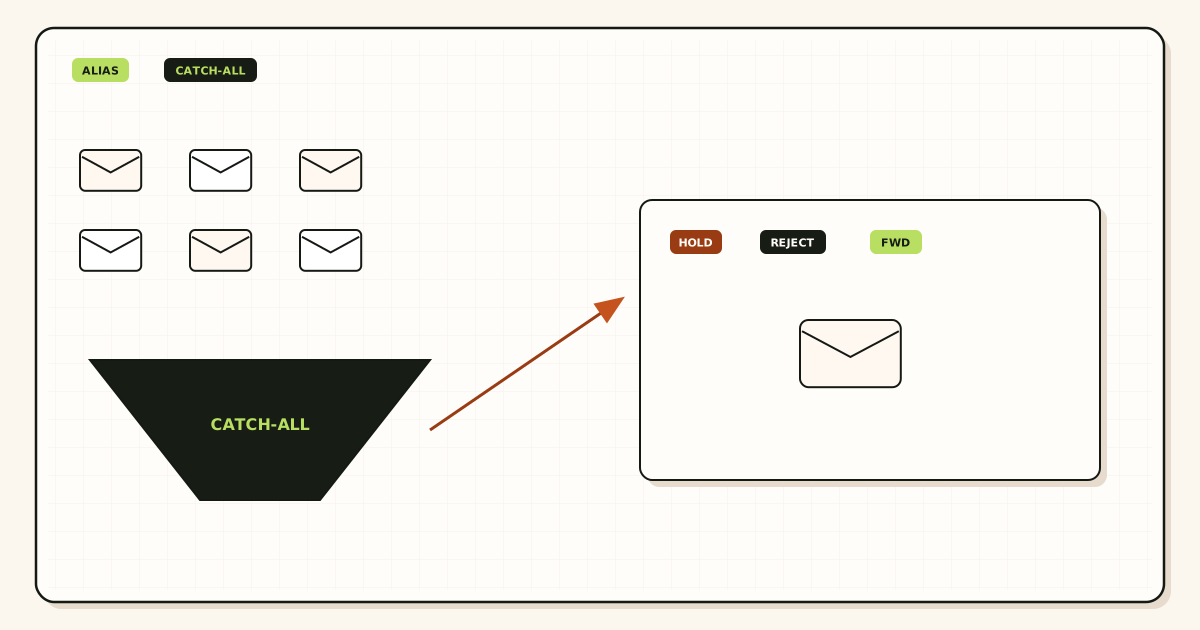
Catch all vs email aliases is a recipient-policy decision, not a branding decision. A named alias is a public local-part you chose and mapped. Catch-all is what happens to every leftover string on the same domain. For a business, named aliases are the safer default. Hold unknown mail until you can name the address. Turn on catch-all forward only when you can watch it.
Quick answer for catch all vs email aliases
Use named aliases when the public string must be a real local-part you can explain: hello@, billing@, founders@. Create that alias, map a destination inbox you already read, and prove inbound from a mailbox that is not the destination. That is the safest everyday setup for catch all vs email aliases on a domain that customers can guess.
Use catch-all only as a watched policy. On MailerZ, unknown recipients are held on Free. Paid plans can forward unknown recipients when you enable that behavior. Holding unknown mail is the safer default. Forwarding every leftover string collects typos, harvested names, and role guesses. It does not create a mailbox. It does not make those strings legitimate send-as identities.
Transport still follows IETF RFC 5321 — Simple Mail Transfer Protocol. The sender’s server looks up MX, offers an envelope recipient, and transfers content. The receiving system decides whether that local-part is accepted, held, or rejected. Envelope commands are not the header block people see. MailerZ may rewrite only the envelope return path with Sender Rewriting Scheme. Header From, Subject, Date, Message-ID, body, and MIME are never rewritten. Product language for that split lives on aliases and catch-all.
Catch-all is not plus addressing. A Gmail plus tag such as you+stripe@gmail.com is a subaddress on a mailbox that already implements that extension; see IETF RFC 5233 — Sieve Email Filtering: Subaddress Extension and Google Gmail Help — Using an address alias (plus addressing). A leftover string on your custom domain is an unknown recipient unless you mapped it or enabled paid catch-all forward. Do not print sales+secret@yourdomain.com and assume MailerZ will strip the tag the way Gmail does on @gmail.com.
Free cannot finish outbound send-as, and it will not silently vacuum the namespace. MailerZ Free is one domain, ten aliases, one seat, a 14-day store, send-as disabled, SMTP and API disabled, and unrouted mail held or rejected only. Paid plans add alias ceiling, 90-day store, optional catch-all forward, and send-as within published limits. Solo is $40 per year only. Starter is $8 monthly or $80 yearly. Business is $19 or $190. Agency is $39 or $390. Unlimited is $99/month or $990/year. Confirm numbers on MailerZ pricing. Those numbers are plan limits, not an inbox-placement promise.
The user problem and the decision criteria
The usual request sounds harmless. “Turn on catch-all so we never miss a typo.” The business risk is that every harvested local-part becomes a working hop into the same inbox you use for real work. Scrapers try info@, admin@, first-name guesses, and last year’s contractor. A named-alias domain answers only the addresses you published. A catch-all-forward domain answers the phone for strangers.
The second request is a migration. You are leaving a host that accepted everything. You cannot list every historical address in one sitting. Catch-all forward for a short window can save a customer who still writes to support-old@. The safe version of that request has an end date, a review of held or forwarded unknowns, and named aliases created as soon as a leftover string proves useful.
The third request is seat avoidance. Someone wants catch-all so they never buy another mailbox. That is the wrong product. An alias is not a mailbox. Catch-all is not a directory of employees. If every person needs a hosted login, Calendar, and admin, you are shopping for a suite, not a recipient policy.
Decide with criteria you can test.
| Question | If yes | If no |
|---|---|---|
| Can you list the public addresses customers should use? | Create named aliases for that list. | You are not ready for production print. Do not enable catch-all to hide the missing list. |
| Is unknown mail more likely a typo you must catch, or a harvested guess? | A short paid catch-all window with review can be justified. | Keep unknown held. Promote leftovers to named aliases one by one. |
| Must every leftover string reach a human inbox today? | Paid catch-all forward, watched daily. | Hold is safer. Free already does this. |
| Do you need send-as for invented addresses? | That is not catch-all. Approve a named identity on a paid plan. | Inbound policy and outbound identity stay separate. |
| Can you publish DNS and delete leftover MX? | Cutover is possible. | Do not start. Split MX loses named and unknown mail alike. |
Named aliases are the safer business default when the domain is public, the inbox is shared or executive, and you can tolerate creating a row for each printed address. Catch-all forward is a tool for a watched window: cutover, forgotten print, or a short discovery period. Catch-all hold — Free’s unknown behavior — is a control, not a defect.
Shared inboxes make the policy sharper. If hello@ lands in a founder Gmail that also receives personal mail, catch-all forward turns every harvested guess into a notification on that person’s phone. Named aliases keep the phone quiet unless the printed string was used. If several people must see the same role address, map that one named alias to more than one destination, or to a shared mailbox you already operate. Do not publish a second MX set to “cover” the second person.
Role addresses deserve their own row even when one human reads them. billing@ and legal@ are not catch-all toys. They are public contracts. When the person changes, you retarget the alias. Catch-all cannot retarget a role; it only dumps leftovers into whoever you nominated as the vacuum.
If you need field maps after you choose the policy, the MailerZ documentation has the setup sequence. This page stays on the safety decision.
Technical mail flow
A sending server looks up MX, connects, and names a recipient in RCPT TO. That local-part is the object catch all vs email aliases cares about. IETF RFC 5321 — Simple Mail Transfer Protocol is the transport standard. SPF, DKIM, and DMARC evaluate authorization of the sender; they do not decide whether random@yourdomain.com is a person you employ. See IETF RFC 7208 — Sender Policy Framework (SPF), IETF RFC 6376 — DomainKeys Identified Mail (DKIM), and IETF RFC 7489 — Domain-based Message Authentication, Reporting, and Conformance (DMARC) for those protocols.
Named alias path
The customer writes to hello@yourdomain.com. MailerZ MX answers. The edge checks that the domain is verified and that hello matches an alias you created. The message is stored, then forwarded to the destination you verified. Header From stays the original sender. The envelope return path may use SRS. Delivery history records the destination response. Gmail or Outlook can still file the copy in spam or junk. That is their filter.
Acceptance at MailerZ is not the same as “the destination already has it.” Read history. Then open the destination, including spam and junk. Self-send from the same Gmail account can short-circuit and never take the public MX path. Probe from a different mailbox.
Unknown recipient path
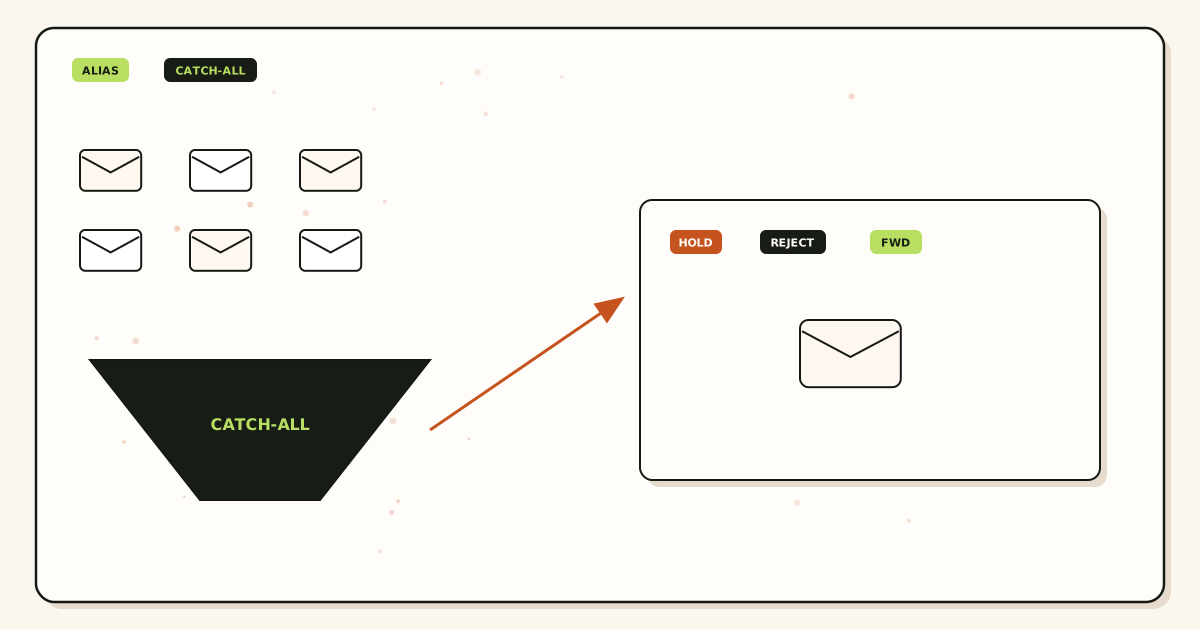
The customer — or a scraper — writes to helol@ or ceo@ when you never created those aliases. On Free, MailerZ holds unknown recipients. Held mail is evidence, not a silent drop into the founder’s Primary tab. On a paid plan you can leave that hold in place, or enable catch-all forward so unmatched local-parts follow a destination you chose.
Catch-all forward does not rewrite Header From into a company identity. It does not mint send-as for the invented string. It does not prove the sender is a customer. It only says: this leftover RCPT TO may continue to a mailbox you already operate.
A hold is still a stored object inside the recovery window. Someone with dashboard access can see that ceo@ was attempted, when it arrived, and what policy applied. That is useful during a cutover. It is not an excuse to leave catch-all forward on for a year. If you never look at held mail, you also should not enable forward “so we do not have to look.”
Why hold is safer than vacuum
A business inbox that receives every leftover string trains staff to treat noise as work. It also trains attackers that the domain answers. Directory harvesting becomes a delivery test. A held unknown is a ticket you can review: create a named alias if the string is real, ignore it if it is a guess, keep it held if you are unsure. Delivery recovery exists so a failed or held hop can be inspected during the store window — 14 days on Free, 90 days on paid plans. That window is not a compliance vault. Details live on delivery recovery.
Send-as stays named
Replies that must leave as the domain still need a paid plan, an approved From identity, and Gmail Send mail as or a manual Outlook SMTP identity. Catch-all does not authorize whatever@yourdomain.com as an outgoing identity. Unhosted or unauthorized send gets SMTP 550. MailerZ is not an open relay.
Step-by-step setup and decision path
Do this in order. Enabling catch-all forward before you can list public addresses is how a quiet domain becomes a noisy one.
List every printed local-part
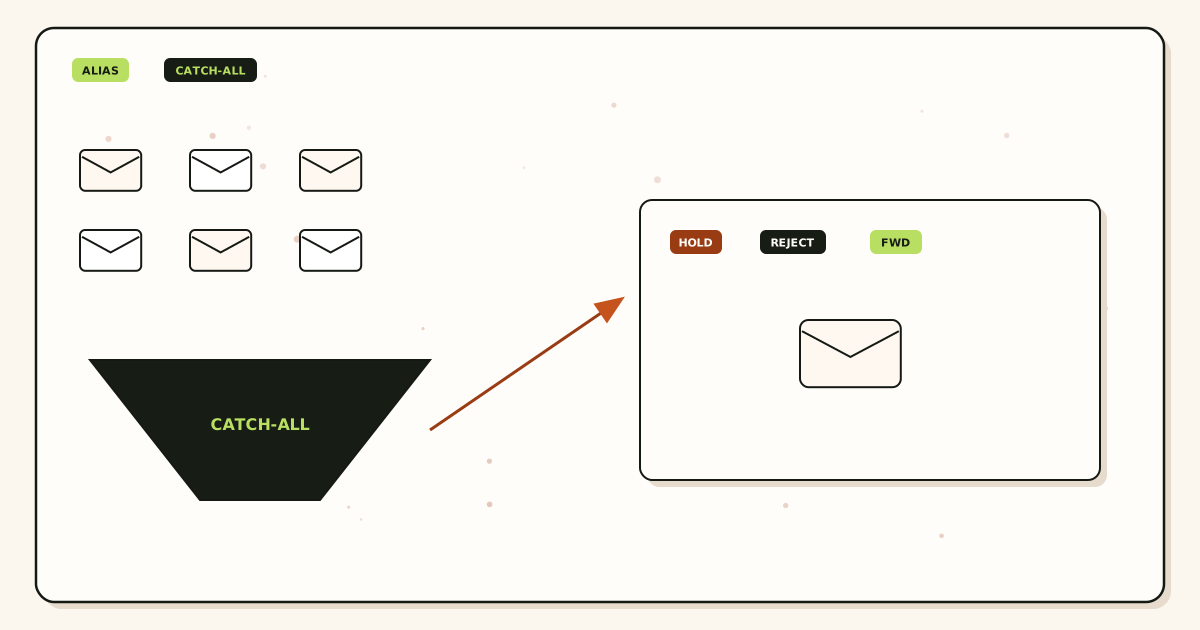
Website, invoices, app store listings, email signatures, old PDFs. If two strings are the same person, still write both down. You will either create two aliases or pick one public string and redirect humans in copy. Catch-all is not a substitute for this list.
Add one domain you control
Use the root domain, not a mailbox and not
https://. Publish the verification TXT on the authoritative nameservers. Verify in the dashboard. Receiving stays off until that check passes.Create named aliases first
Map each listed local-part to the Gmail or Outlook inbox that should receive it. Complete destination verification if asked. Do not point a destination back at the same alias. Free allows ten aliases. Solo allows twenty-five. Starter, Business, and Agency raise the ceiling. If the list does not fit Free, that is a plan question, not a reason to skip naming.
Publish MX and delete leftover MX
Copy the exact MX hosts and priorities from the dashboard. Remove leftover Google, Microsoft, or registrar MX. Split records lose named aliases and unknown mail in a pattern that looks random. Query from more than one resolver.
Prove each named alias from another mailbox
Send a uniquely titled message to each public address from an unrelated provider. Confirm Header From. Confirm delivery history. Open spam and junk at the destination. Do not test only with Gmail self-send.
Prove unknown policy on purpose
Send to a local-part you did not create, with a unique subject. On Free you should see hold, not a silent inbox drop. On paid, you should see hold unless you enabled catch-all forward. If the made-up address arrives in the founder’s inbox and you did not ask for that, you enabled the wrong policy.
Enable paid catch-all only with a watch window
Write the reason, the destination, and the review date. During the window, promote useful leftovers to named aliases. After the window, turn forward off if the list is complete. Leaving catch-all on “just in case” is how harvested names become standing work.
Attach send-as only for approved names
Paid plan, SMTP credential, Gmail Send mail as or Outlook manual SMTP. Incoming mail stays at the destination mailbox. Catch-all does not belong in the From selector.
| Record | Job | Failure if wrong |
|---|---|---|
| Verification TXT | Prove you control the zone | Receiving and sending stay disabled |
| MX | Tell the internet where to deliver the domain | Mail stays at the old host or bounces |
| SPF / DKIM / DMARC | Authorize MailerZ to send as named identities | Receivers treat outbound as unauthenticated |
| Leftover MX removal | Stop split delivery | Named and unknown mail miss MailerZ |
Failure modes and proof
Most “catch-all is broken” or “aliases are unsafe” reports are leftover MX, a destination folder you did not open, catch-all forward left on after a migration, or an invented string treated as a mailbox. Work the evidence.
| What you see | Likely cause | Proof to collect |
|---|---|---|
| Printed alias never arrives | Alias not created, leftover MX, or destination junk. | Alias list, public MX from two resolvers, delivery history, spam/junk. |
| Made-up address arrives in the inbox | Paid catch-all forward is on. | Unknown policy setting. Decide if that window is still justified. |
| Made-up address is missing and you wanted it | Free hold, or paid hold still enabled. | Held-mail view in the store window. Create a named alias if the string is real. |
| Harvested names flood the shared inbox | Catch-all forward with no review. | Turn forward off. Promote only proven strings. Keep unknown held. |
| Plus tag on the domain never matches | MailerZ matches named aliases and catch-all policy, not Gmail plus-stripping on your domain. | Create the exact local-part or use plus tags only on the Gmail destination address. |
| Cannot send as a leftover string | Catch-all is inbound policy. Send-as is a named paid identity. | Approve the From on a paid plan. Free has no send-as. |
| Some senders reach the old host | Leftover MX or cache. | Public MX set. Remove obsolete records after the intended set is live. |
| Held or 550 on send | Unhosted domain, unauthorized From, or plan limit. | Exact SMTP response. Hourly and monthly outgoing counters. |
Proof is a pair of artifacts: a sanitized destination screenshot or header block, and the MailerZ event with timestamp plus remote response. Do not send SMTP passwords to support. Do not publish verification tokens. If you open a body for break-glass recovery, expect an audit row.
Inbox placement is not proof of a correct policy. Junk is not proof of a broken alias. If you need DNS reads, use troubleshooting and DNS diagnostics. Those tools are DNS-only. They do not invent a safety score for catch-all.
MailerZ workflow and product boundary
MailerZ is a custom-domain email delivery layer operated by Secuno LLC. Point MX at MailerZ. Mail for a hosted, verified domain can land in Gmail or Outlook. Paid plans add authenticated SMTP so named identities can send and reply. The live site is mailerz.net. The app is mail.mailerz.net.
What MailerZ does in this workflow
- Accept inbound mail for verified domains and configured named aliases.
- Hold unknown recipients on Free.
- Optionally forward unknown recipients on paid plans when you enable catch-all.
- Preserve Header From on the forward.
- Store messages for 14 days on Free or 90 days on paid plans for recovery and evidence.
- Send through authenticated SMTP from approved identities on paid plans.
- Record delivery history for inbound and outbound hops.
What MailerZ does not do
- Replace Gmail or Outlook with IMAP or webmail.
- Rewrite header From, Subject, Date, Message-ID, body, or MIME.
- Treat catch-all as extra mailboxes or extra send-as identities.
- Offer send-as on Free.
- Promise inbox placement, uptime SLAs, or review counts.
- Claim SOC 2, ISO 27001, or HIPAA. Those certifications are not held. Controls live on Security and Trust Center.
- Act as an open relay. Unauthorized send gets 550 / 550 5.7.1.
- Send newsletters or purchased lists.
Alias ceilings are plan facts: Free 3, Solo 15, Starter 50, Business 200, Agency 500, Unlimited uncapped. Free is one domain. Solo is five domains. Starter, Business, and Agency raise domain and seat ceilings. Catch-all is a policy inside those limits, not a way around them.
Cost, alternatives, and trade-offs
Catch-all looks free because it avoids creating rows. The cost shows up as inbox noise, phishing that looks local, and time spent deciding whether payables@ was a real vendor. Named aliases cost a few minutes and, if you outgrow Free’s ten aliases, a paid plan. That is usually cheaper than a suite seat for every guessed name, and more honest than a vacuum.
| Approach | You get | You give up |
|---|---|---|
| Named aliases only | An allow-list of public strings. Clear proof per address. | Typos that you did not map will not reach the inbox (they can still be held). |
| Free hold of unknown | Evidence without a noisy inbox. Three aliases to start. | No send-as. Fourteen-day store. Unknown does not auto-forward. |
| Paid catch-all forward | Leftover strings can reach a destination during a watch window. | Harvested names become work unless you review and turn it off. |
| Hosted mailbox per person | A real store, admin, often Calendar. | Per-user suite cost. Different product than a forwarder policy. |
Solo is $40 per year for one person who needs more aliases, 90-day store, catch-all forward if they choose it, and 20 send-as messages per hour with 2,500 outgoing per month. Starter, Business, and Agency raise domains, seats, aliases, and send ceilings. Annual Starter, Business, and Agency billing includes two months free relative to paying monthly for a year. Solo has no monthly option.
Cloudflare Email Routing and other inbound routers may offer catch-all with different defaults. Their docs are not MailerZ leftover-MX handling, stored failed hops, or authenticated send-as. Compare current plans on their sites. Do not import their policy language into this product.
FAQ
What is the safest way to handle catch all vs email aliases?
Create named aliases for every public local-part, publish one MX set, delete leftover host records, and leave unknown recipients held. Enable paid catch-all forward only for a watched window, such as a cutover, then turn it off or keep reviewing held mail. Do not treat catch-all as a substitute for a mailbox seat.
Does this require a new mailbox?
No. An alias is a routing rule. Catch-all is a policy for unmatched local-parts. MailerZ is Mail Box portal webmail (Inbox, Sent, New email). It is not IMAP or POP. Gmail or Outlook remains the store. A new mailbox is only required if you buy hosting instead of forwarding.
Will it work with Gmail or Outlook?
Yes for destinations. Named aliases and, on paid plans, catch-all forward can deliver into a verified Gmail or Outlook inbox. Send-as still needs a paid plan and a named identity you approve. Catch-all does not create send-as for every invented address.
What DNS records are involved?
A verification TXT, one MailerZ MX set, leftover MX removal, and the SPF, DKIM, and DMARC values shown in the dashboard if you also send as a named address. Catch-all does not add a special DNS record. It is a recipient policy after MX already points at MailerZ.
What should I test before production?
Probe each named alias from an unrelated provider. Confirm Header From and delivery history. Then send to a made-up local-part and confirm it is held on Free, or forwarded only if you enabled paid catch-all on purpose. Self-send from Gmail to the same Gmail account can hide routing errors.
Key takeaways
- Catch all vs email aliases is a recipient policy. Named aliases are the safer business default.
- An alias is a route, not a mailbox. Catch-all is not a directory of staff.
- Free holds unknown recipients. Paid catch-all forward is optional and should be watched.
- Header From stays the original sender. Envelope SRS is the rewrite that is allowed.
- Leftover MX is a hard stop for named and unknown mail alike.
- Probe each named alias from a different mailbox. Then probe a made-up local-part on purpose.
- Catch-all does not grant send-as. Free has no send-as.
- Use catch-all forward for a cutover window, not as a permanent vacuum.
- MailerZ is not SOC 2 and not a bulk sender. Quote those boundaries out loud.
Conclusion and next action
If you came here for catch all vs email aliases, the safer business path is narrower than the checkbox makes it sound. Name the addresses you print. Map them. Prove them from another mailbox. Leave unknown held until a leftover string earns a row. Enable paid catch-all forward only when you can watch the window and turn it off.
MailerZ fits when you want that policy with delivery history and a recovery store you can actually see. It does not fit when you need a hosted mailbox for every user, a certified compliance report, or campaign-scale sending. Start on Free if three named aliases cover the printed list. Move to Solo or another paid plan when you need more aliases, a 90-day store, catch-all forward, or send-as.
Next action: add one domain, create the aliases you can already print, and send a uniquely titled message to each from a mailbox that is not the destination. Then send one message to a string you did not create and confirm hold. The register path is one domain, not a suite migration.
Ready to name the public addresses
Start free with one domain and prove the path.
Three named aliases and unknown hold on Free. Paid catch-all and send-as only when you choose them. Sign in if the domain is already there.
Review quarterly, or sooner if MailerZ unknown-recipient policy, plan limits, or DNS guidance changes. Author: MailerZ editorial, Secuno LLC.